Andy in the Cloud

From BBC Basic to Force.com and beyond…


Leave a comment

Enhancing Agentforce Output with Rich Text Formatting

I have been working with Agentforce for a while, and as is typically the case, I find myself drawn to platform features that allow extensibility, and then my mind seems to spin as to how to extract the maximum value from them! This blog explores the Rich Text (a subset of HTML) output option to give your agents’ responses a bit more flair, readability, and even some graphical capability.

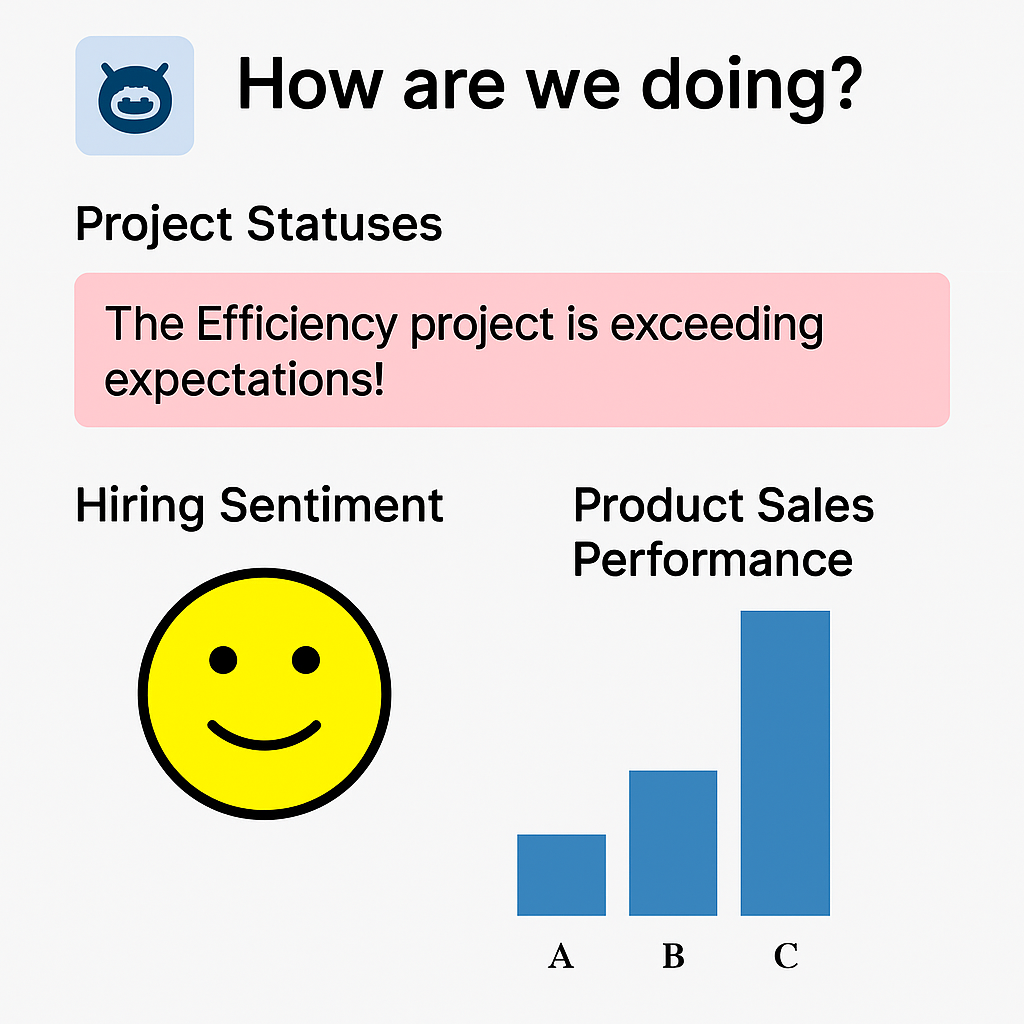
Agentforce Actions typically return data values that the AI massages into human-readable responses such as, “Project sentiment is good”, “Product sales update: 50% for A, 25% for B, and 25% for C”, “Project performance is exceeding expectations; well done!”. While these are informative, they could be more eye-catching and, in some cases, benefit from more visual alternatives. While we are now getting the ability to use LWC’s in Agentforce for the ultimate control over both rendering and input, Rich Text is a middle-ground approach and does not always require code. All be it perhaps a bit of HTML or SVG knowledge and/or AI assistance is needed – you can achieve results like this in Agentforce chat

Lets start with a Flow example, as it also supports Rich Text through its Text Template feature. Here is an example of a Flow action that can be added to a topic with instructions to tell the agent to use it when presenting good news to the user, perhaps in collaboration with a project status query action.
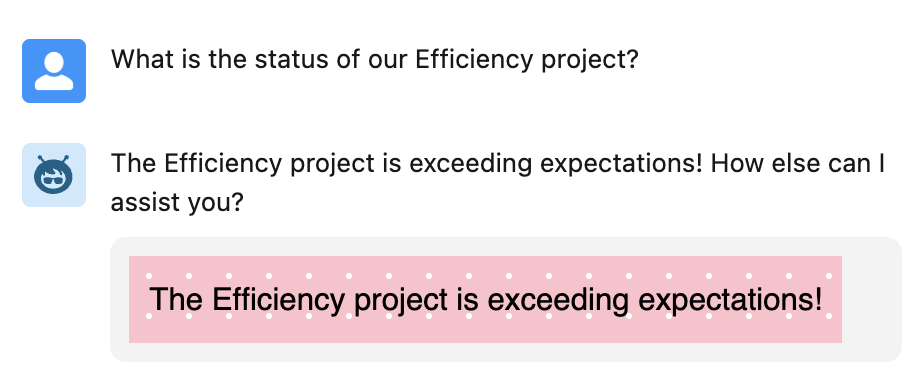
In this next example a Flow conditionally assigns and output from multiple Text Templates based on an input of negative, neutral or positive – perhaps used in conjunction with a project sentiment query action.
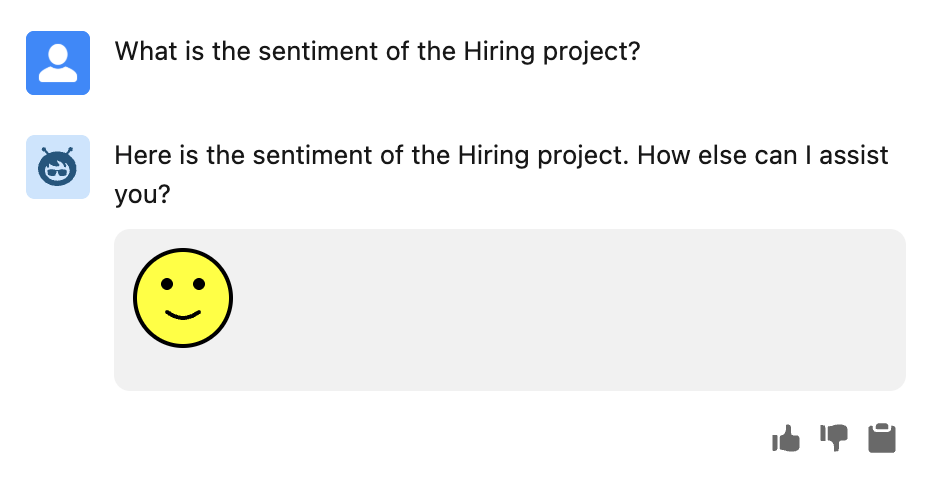
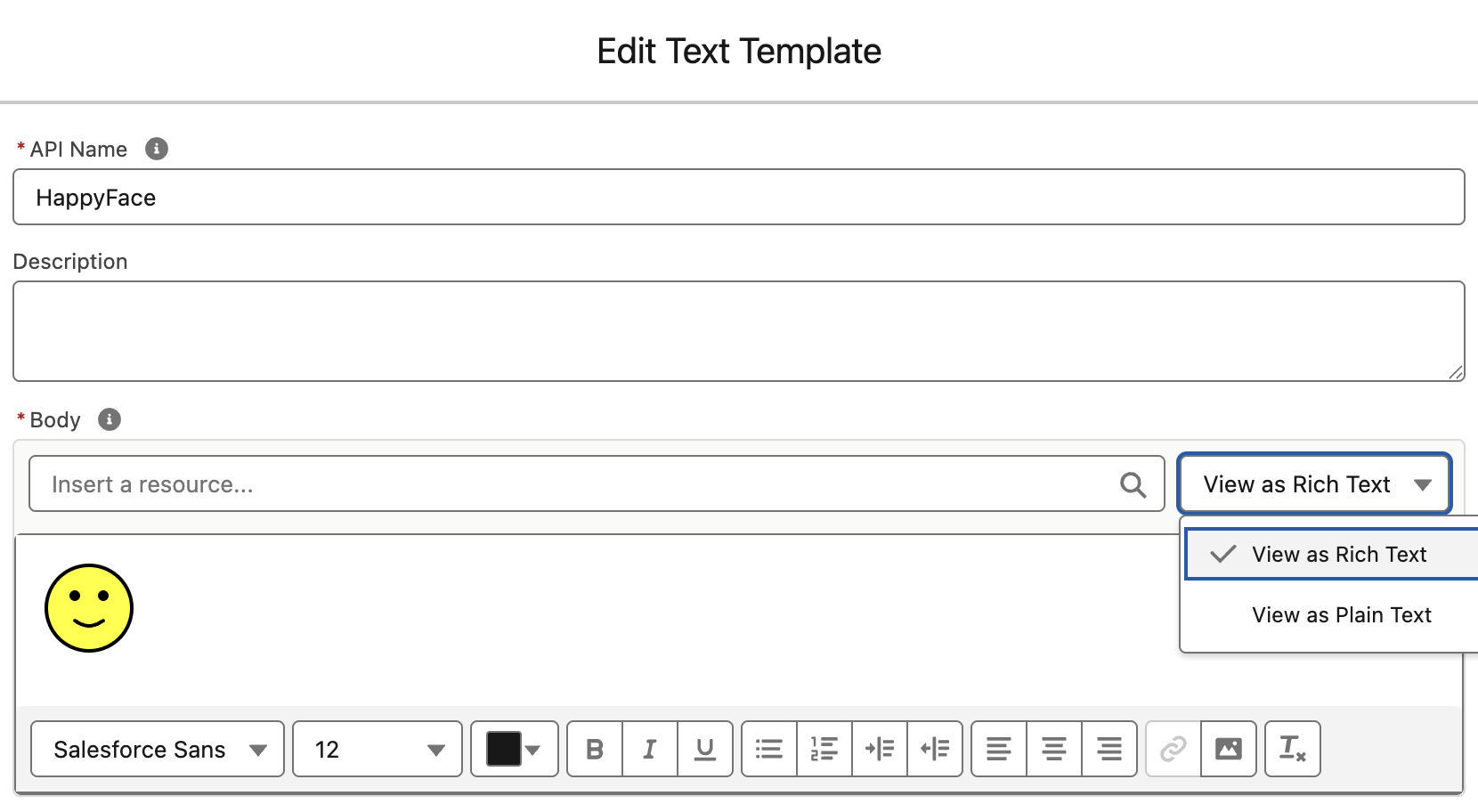
The Edit Text Template dialog allows you to create Rich Text with the toolbar or enter HTML directly. Its using this option we can enter our smile svg shown below:

<svg xmlns='http://www.w3.org/2000/svg' width='50' height='50'><circle cx='25' cy='25' r='24' fill='yellow' stroke='black' stroke-width='2'/><circle cx='17' cy='18' r='3' fill='black'/><circle cx='33' cy='18' r='3' fill='black'/><path d='M17 32 Q25 38 33 32' stroke='black' stroke-width='2' fill='none' stroke-linecap='round'/></svg>

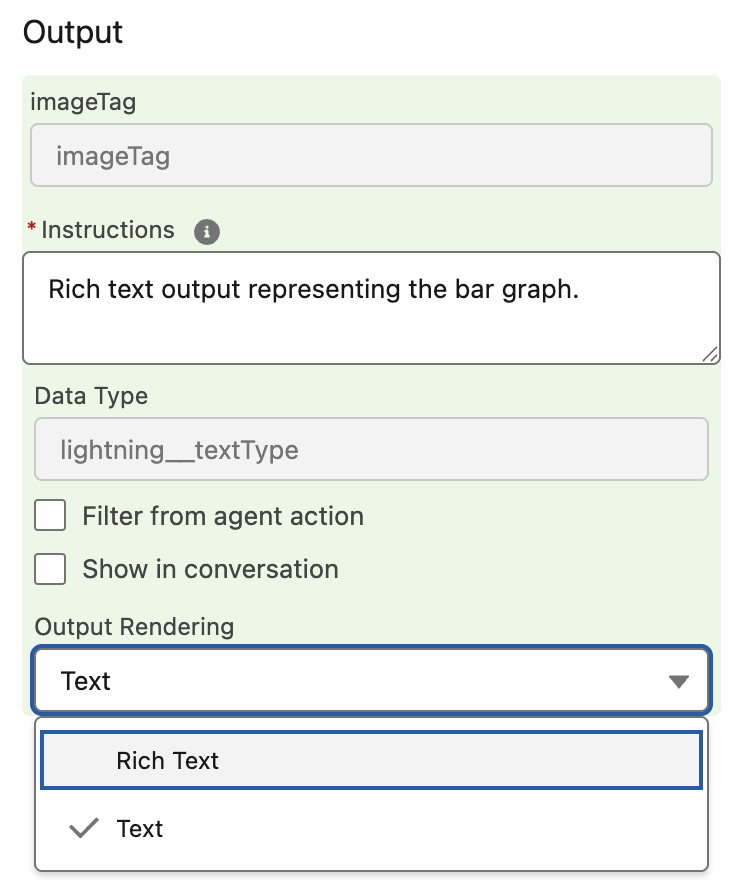
For a more dynamic approach we can break out into Apex and use SVG once again to generate graphs, perhaps in collaboration with an action that retrieves product sales data.
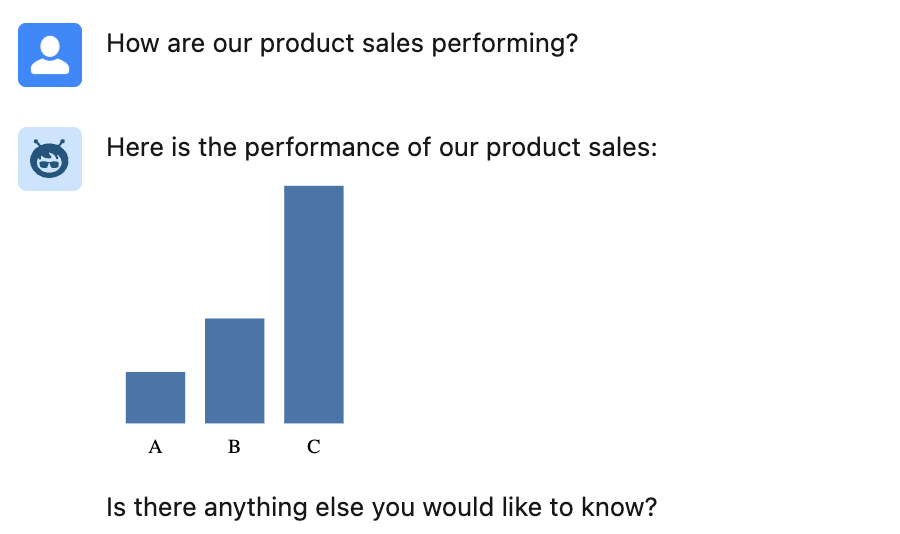
The full Apex is stored in a Gist here but in essence its doing this:

@InvocableMethod(
   label='Generate Bar Chart' 
   description='Creates a bar chart SVG as an embedded <img> tag.')
public static List<ChartOutput> generateBarChart(List<ChartInput> inputList) {
   ...
   String svg = buildSvg(dataMap);
   String imgTag = '<img src="data:image/svg+xml,' + svg + '"/>';
   return new List<ChartOutput>{ new ChartOutput(imgTag) };
}

When building the above agent, I was reminded of a best practice shared by Salesforce MVP, Robert Sösemann recently, which is to keep your actions small enough to be reused by the AI. This means that I could have created an action solely for product sales that generated the graph. Instead, I was able to give the topic instructions to use the graph action when it detects data that fits its inputs. In this way, other actions can generate data, and the AI can now use the graph rendering independently. As you can see below, there is a separation of concerns between actions that retrieve data and those that format it (effectively those that render Rich Text). By crafting the correct instructions, you can teach the AI to effectively chain actions together.
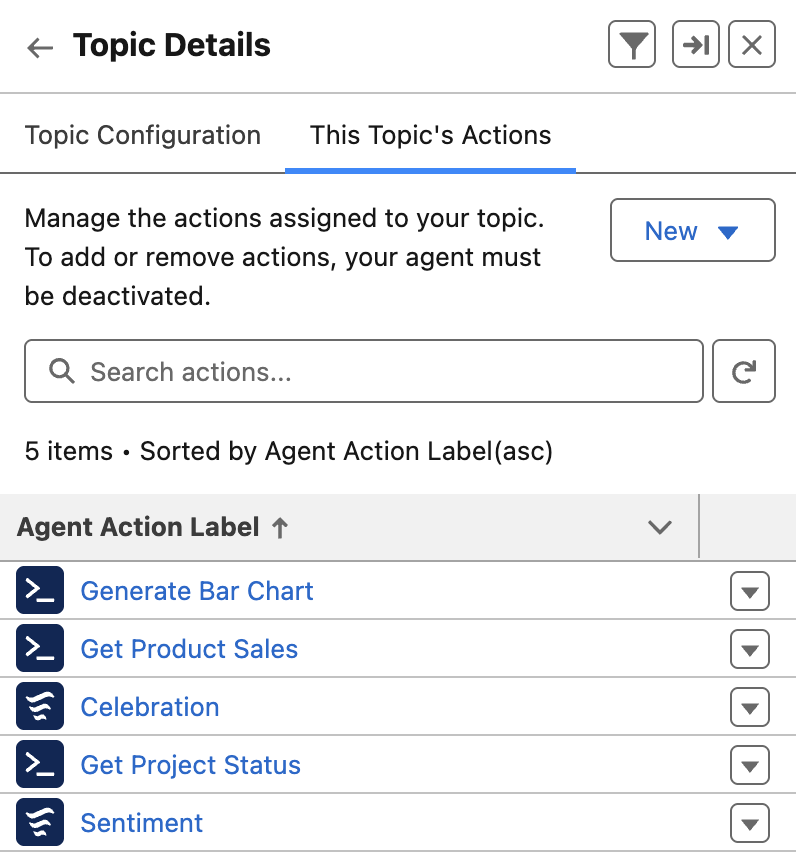
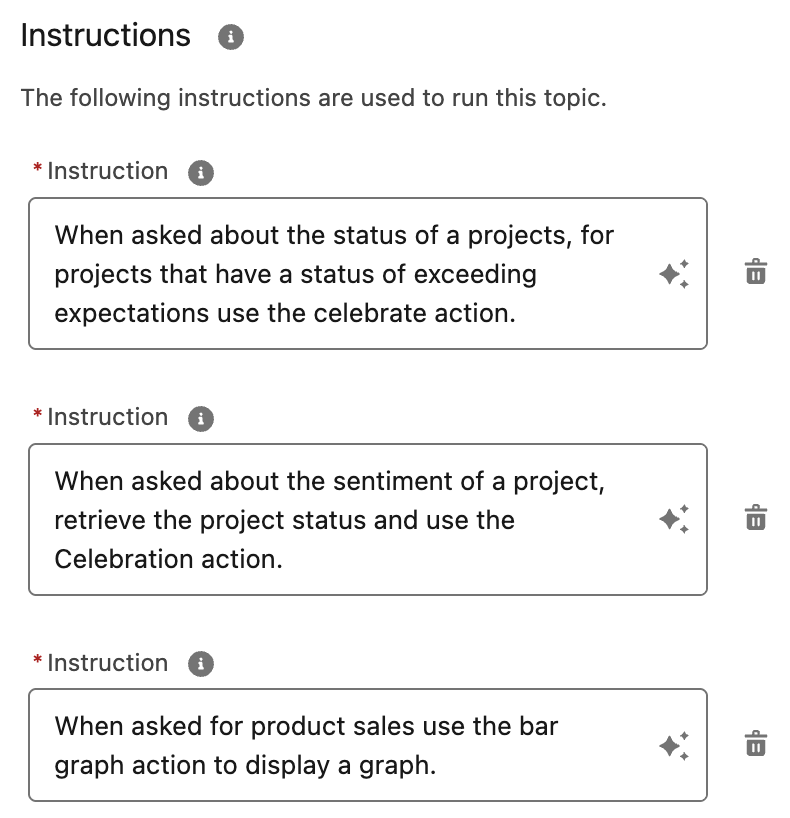
You can also use Prompt Builder based actions to generate HTML as well. This is something that the amazing Alba Rivas covered very well in this video already. I also captured the other SVG examples used in this Gist here. A word on security here, SVG can contain code, so please make sure to only use SVG content you create or have from a trusted source – of note is that using SVG embedded in an img tag code is blocked by the browser, <img src="data:image/svg+xml,<svg>....</svg>"/>.

Whats next? Well I am keen to explore the upcoming ability to use LWC’s in Agentforce. This allows for control of how you request input from the user and how the results of actions are rendered. Potentially enabling things like file uploads, live status updates and more! Meanwhile check this out from Avi Rai.

Meanwhile, enjoy!

3 Comments

The Third Edition

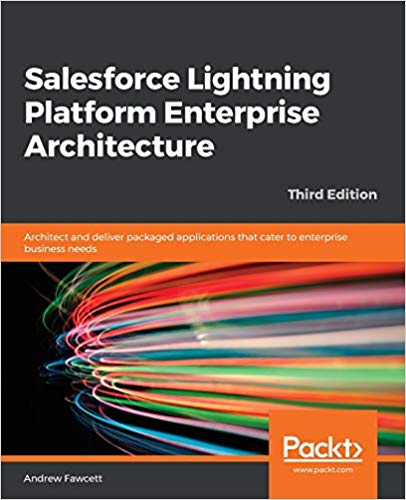
bookI’m proud to announce the third edition of my book has now been released. Back in March this year I took the plunge start updates to many key areas and add two brand new chapters. Between the 2 years and 8 months since the last edition there has been several platform releases and an increasing number of new features and innovations that made this the biggest update ever! This edition also embraces the platforms rebranding to Lightning, hence the book is now entitled Salesforce Lightning Platform Enterprise Architecture.

You can purchase this book direct from Packt or of course from Amazon among other sellers.  As is the case every year Salesforce events such as Dreamforce and TrailheaDX this book and many other awesome publications will be on sale. Here are some of the key update highlights:

  • Automation and Tooling Updates
    Throughout the book SFDX CLI, Visual Studio Code and 2nd Generation Packaging are leverage. While the whole book is certainly larger, certain chapters of the book actually reduced in size as steps previously reflecting clicks where replaced with CLI commands! At one point in time I was quite a master in Ant Scripts and Marcos, they have also given way to built in SFDX commands.
  • User Interface Updates
    Lightning Web Components is a relative new kid on the block, but benefits greatly from its standards compliance, meaning there is plenty of fun to go around exploring industry tools like Jest in the Unit Testing chapter. All of the books components have been re-written to the Web Component standard.
  • Big Data and Async Programming
    Big data was once a future concern for new products, these days it is very much a concern from the very start. The book covers Big Objects and Platform Events more extensibility with worked examples, including ingest and calculations driven by Platform Events and Async Apex Triggers. Event Driven Architecture is something every Lightning developer should be embracing as the platform continues to evolve around more and more standard platforms and features that leverage them.
  • Integration and Extensibility
    A particularly enjoyed exploring the use of Platform Events as another means by which you can expose API’s from your packages to support more scalable invocation of your logic and asynchronous plugins.
  • External Integrations and AI
    External integrations with other cloud services are a key part to application development and also the implementation of your solution, thus one of two brand new chapters focuses on Connected Apps, Named Credentials, External Services and External Objects, with worked examples of existing services or sample Heroku based services. Einstein has an ever growing surface area across Salesforce products and the platform. While this topic alone is worth an entire book, I took the time in the second new chapter, to enumerate Einstein from the perspective of the developer and customer configurations. The Formula1 motor racing theme continued with the ingest of historic race data that you can run AI over.
  • Other Updates
    Among other updates is a fairly extensive update to the CI/CD chapter which still covers Jenkins, but leverages the new Jenkins Pipeline feature to integrate SFDX CLI. The Unit Testing chapter has also been extended with further thoughts on unit vs integration testing and a focus on Lightening Web Component testing.

The above is just highlights for this third edition, you can see a full table of contents here. A massive thanks to everyone involving for providing the inspiration and support for making this third edition happen! Enjoy!


24 Comments

Image Recognition with the Salesforce Einstein API and an Amazon Echo

AI services are becoming more and more accessible to developers than ever before. Salesforce acquired Metamind last year and made some big announcements at Dreamforce 2016. Like many developers, i was keen to find out about its API. The answer at the time was “check back with us next year!”.

pipaWith Spring’17 that question has been answered. At least thus far as regards to image recognition, with the availability of Salesforce Einstein Predictive Vision Service (Pilot). The pilot is open to the public and is free to signup.

True AI consists of recognition, be that visual or spoken, performing actions and the final most critical peace, learning. This blog explores the spoken and visual recognition peace further, with the added help of Flow for performing practically any action you can envision!

You may recall a blog from last year relating to integrating Salesforce with Amazon Echo. To explore the new Einstein API, I decided to leverage that work further. In order to trigger recognition of my pictures from Alexa. Also the Salesforce Flow usage enabled easy extensibility via custom Apex Actions. Thus the Einstein Apex Action was born! After a small bit of code and some configuration i had a working voice activated image recognition demo up and running.

The following diagram breaks down what just happened in the video above. Followed by a deeper walk through of the Predictive Vision Service and how to call it.

amazonechoandeinstein

  1. Using Salesforce1 Mobile app I uploaded an image using the Files feature.
  2. Salesforce stores this in the ContentVersion object for later querying (step 6).
  3. Using the Alexa skill, called Einstein, i was able to “Ask Einstein about my photo”
  4. This  NodeJS skill runs on Amazon and simply routes requests to Salesforce Flow
  5. Spoken terms are passed through to a named Flow via the Flow API.
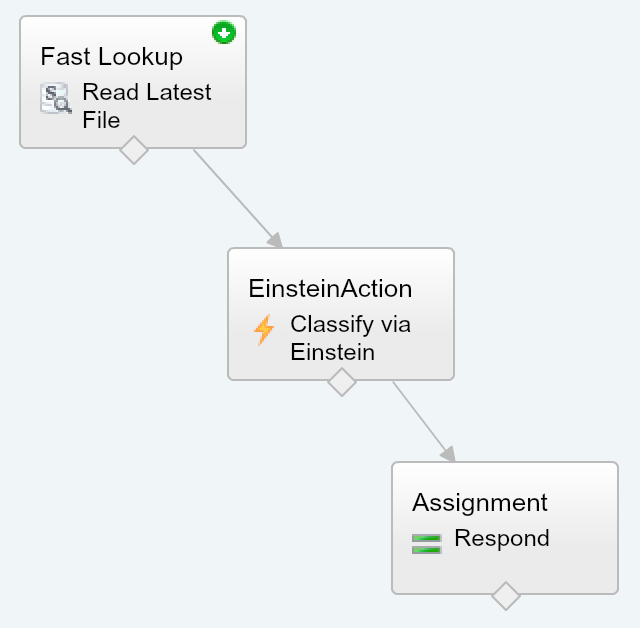
  6. The Flow is simple in this case, it queries the ContentVersion for the latest upload.
  7. The Flow then calls the Einstein Apex Action which in turn calls the Einstein REST API via Apex (more on this later). Finally a Flow assignment takes the resulting prediction of what the images is actually of, and uses it to build a spoken response.
    einstenandflow

Standard Example: The above example is exposing the Einstein API in an Apex Action, this is purely to integrate with the Amazon Echo use case. The pilot documentation walks you through an standalone Apex and Visualforce example to get you started.

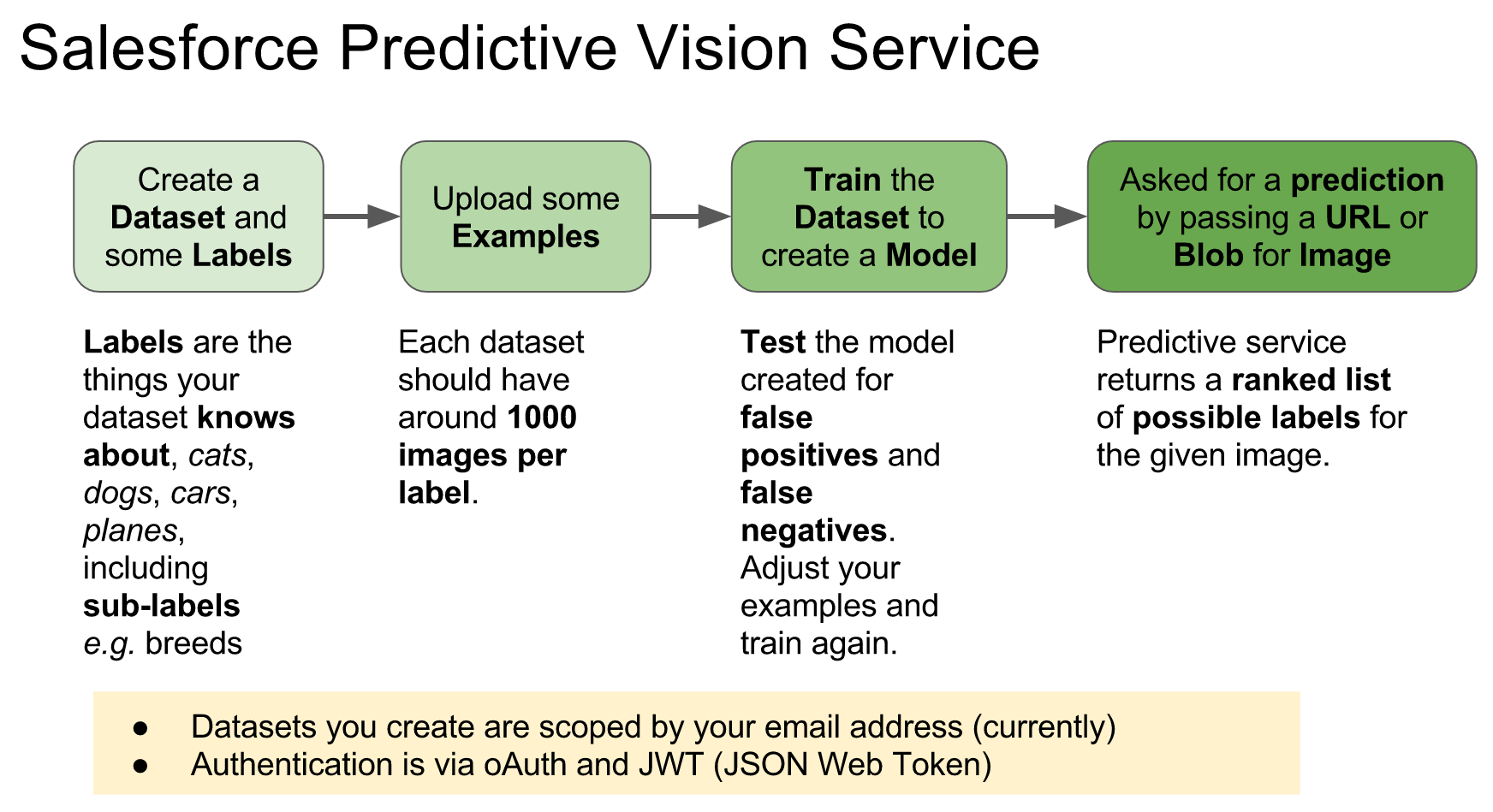
How does theEinstein Predictive Vision Service API work?

revaflintsilverThe service introduces a few new terms to get your head round. Firstly a dataset is a named container for the types of images (labels) you want to recognise. The demo above uses a predefined dataset and model. A model is the output from the process of taking examples of each of your data sets labels and processing them (training). Initiating this process is pretty easy, you just make a REST API call with your dataset ID. All the recognition magic is behind the scenes, you just poll for when its done. All you have to do is test the model with other images. The service returns ranked predictions (using the datasets labels) on what it thinks your picture is of. When i ran the pictures above of my family dogs, for the first time i was pretty impressed that it detected the breeds.
EinsteinPredictiveVisionAPI.png

While quite fiddly at times, it is also well worth the walking through how to setup your own image datasets and training to get a hands on example of the above.

How do i call the Einstein API from Apex?

Salesforce saved me the trouble of wrapping the REST API in Apex and have started an Apex wrapper here in this GitHub repo. When you signup you get private key file you have to upload into Salesforce to authenticate the calls. Currently the private key file the pilot gives you seems to be scoped by your org users associated email address.

public with sharing class EinsteinAction {

    public class Prediction {
        @InvocableVariable
        public String label;
        @InvocableVariable
        public Double probability;
    }

    @InvocableMethod(label='Classify the given files' description='Calls the Einsten API to classify the given ContentVersion files.')
    public static List<EinsteinAction.Prediction> classifyFiles(List<ID> contentVersionIds) {
        String access_token = new VisionController().getAccessToken();
        ContentVersion content = [SELECT Title,VersionData FROM ContentVersion where Id in :contentVersionIds LIMIT 1];
        List<EinsteinAction.Prediction> predictions = new List<EinsteinAction.Prediction>();
        for(Vision.Prediction vp : Vision.predictBlob(content.VersionData, access_token, 'GeneralImageClassifier')) {
            EinsteinAction.Prediction p = new EinsteinAction.Prediction();
            p.label = vp.label;
            p.probability = vp.probability;
            predictions.add(p);
            break; // Just take the most probable
        }
        return predictions;
    }
}

NOTE: The above method is only handling the first file passed in the parameter list, the minimum needed for this demo. To bulkify you can remove the limit in the SOQL and ideally put the file ID back in the response. It might also be useful to expose the other predictions and not just the first one.

The VisionController and Vision Apex classes from the GitHub repo are used in the above code. It looks like the repo is still very much WIP so i would expect the API to change a bit. They also assume that you have followed the standalone example tutorial here.

Summary

This initial API has made it pretty easy to access a key part of AI with what is essentially only a handful of simple REST API calls. I’m looking forward to seeing where this goes and where Salesforce goes next with future AI services.