Andy in the Cloud

From BBC Basic to Force.com and beyond…


3 Comments

Apex Sharing and applying to Apex Enterprise Patterns

Apex Sharing can be a bit of mystery to new developers as well as seasoned ones from other platforms. This blog is not for those wanting to understand sharing as such, there are plenty of excellent articles and Salesforce docs on that. Here i wanted to talk about how first I came to understand it and how it fits into Apex Enterprise Patterns.

I recall one really basic thing that took me by surprise was the name, Sharing? Of course this is an end user based way of describing what as an engineer, I effectively understood as row level security. I was also blown away to know that this applied in and outside of code, for example when reporting is used, very cool! Row level security is certainly for me a more accurate way to describe it and certainly helps when i have been talking to others new to the platform but have experience on other platforms.

The second thing that i learn is that in order to control it, it is required to be considered in the way one annotates code at design time. And less so about a default runtime or a configured at runtime context. Since sharing is not enabled by default in Apex (except for Anonymous Apex contexts), it needs to be enabled via opt-in by the developer. Salesforce helps remind us of this through tools like the Salesforce Security Scanner and best practices here, well worth a read.

You may have noticed that the Apex Enterprise Patterns classes providing implementations of your Service layer always have with sharing specified. This sets the default context for all code, in the Domain, Selector or other classes that are executed from then on to run in this mode. Such classes do not need to and should not generally need to qualify any with sharing or without sharing keywords either.

global with sharing class OpportunitiesService 
{		
	global static void applyDiscounts(<ID> opportunityIds, Decimal discountPercentage)
	{
		// This code and any it calls runs as 'with sharing'
	}
}

So what happens if you really want to run without sharing (great article here on reasons for this)? Do you apply it to your Domain or Selector class definition? Well actually neither, since not all the code in these classes may warrant sharing being disabled for example. What i prefer to do is keep the execution of running in this mode as short and contained as possible, to avoid any other inadvertent execution of other code running in this mode.

The basic approach is to leverage an inner class that contains just the code that needs to run without sharing. Typically this code would run in the Selector layer, though can be used elsewhere inside a service method implementation or domain class method. The point is its scoped to a method or specific execution path.

public class OpportunitiesSelector extends fflib_SObjectSelector
{
    public List<Opportunity> selectById(Set<Id> idSet) {
        // This method simply runs in the sharing context of the caller
        // ...
        return opportunities;
    }

    public List<OpportunityInfo> selectOpportunityInfo(Set<Id> idSet) {	
        // Explicitly run the query in a 'without sharing' context
        return new SelectOpportunityInfo().selectOpportunityInfo(this, idSet);
    }

    private without sharing class SelectOpportunityInfo {
        public List<OpportunitiesSelector.OpportunityInfo> 
                 selectOpportunityInfo(OpportunitiesSelector selector, Set<Id> idSet) {
            // Execute the query as normal
            // ...
           return opportunityInfos;				
        }
    }
}

So do we still need it specify with sharing elsewhere? Well yes, controllers for sure is still good practice, indeed Selectors can end up being called from these. I personally also consider any class that is invoked as an Apex entry point, such as Invocable Methods, Batch Apex, Scheduled Apex etc in this category.

If your following a service orientated design most of these entry points delegate to the Service layer, so it feels like your doubling up at times, but thats no bad thing when security is concerned. Finally keep in mind, if you choose to expose your Service layer as an API, it feels equally important to ensure the default sharing mode is enabled regardless of what mode the caller is running in.

The general approach here, is enable sharing, then make the code, developer and business/solution analyst justify why it needs to be switched off for a system level operation that requires it. If you put aside the Apex Enterprise Patterns, this is in fact not that different from the general guideline of having with sharing on all your controllers, the main difference here is by putting it on your service layer, your ensuring not just your controller entry points are covered.




86 Comments

Visual Flow with List View and Related List Buttons

Last years blog Clicks not Code with Visual Flow Custom Buttons has continued to be quite well received, so i thought i would explore what more could be done and address a few questions that have come up since. This blog does make some assumptions that you are already familiar with the approach from my previous blog.

This time i want to focus on using Visual Flows with list Custom Buttons, such buttons can be placed on List View layouts and Related List sections on Detail layouts. Salesforce also provides a means for the user to select specific records to process. These buttons apply to both Salesforce Classic and Salesforce Lighting Experience.

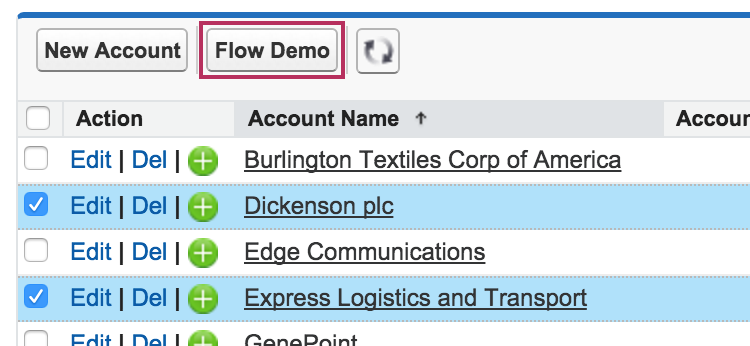
AccountFlowListView

As before we are keeping in the spirit of Clicks not Code, well with a little bit of reusable Visualforce code. But don’t worry you can easily copy and paste to adapt with a few changes. Critically with this approach you don’t need to resort to JavaScript based Custom Buttons, which will no longer be supported in Lighting Experience.

Handling Record Lists from Custom Buttons

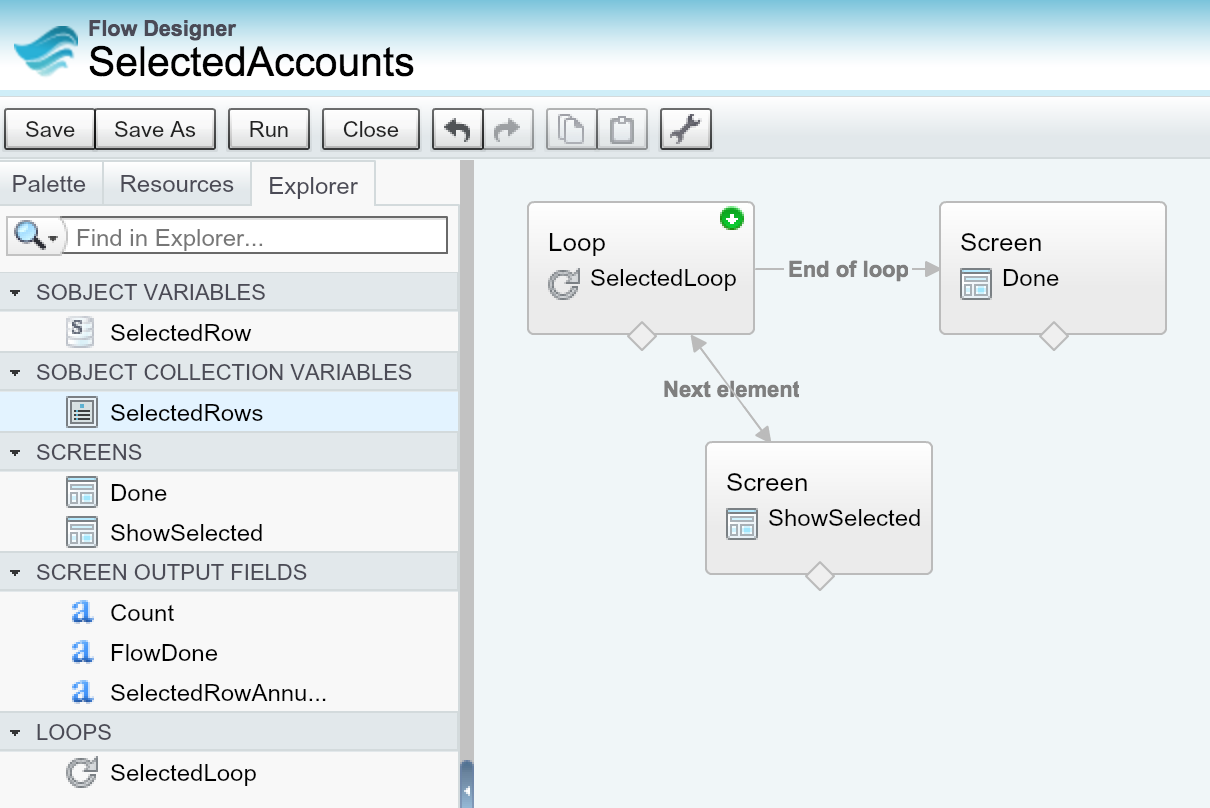
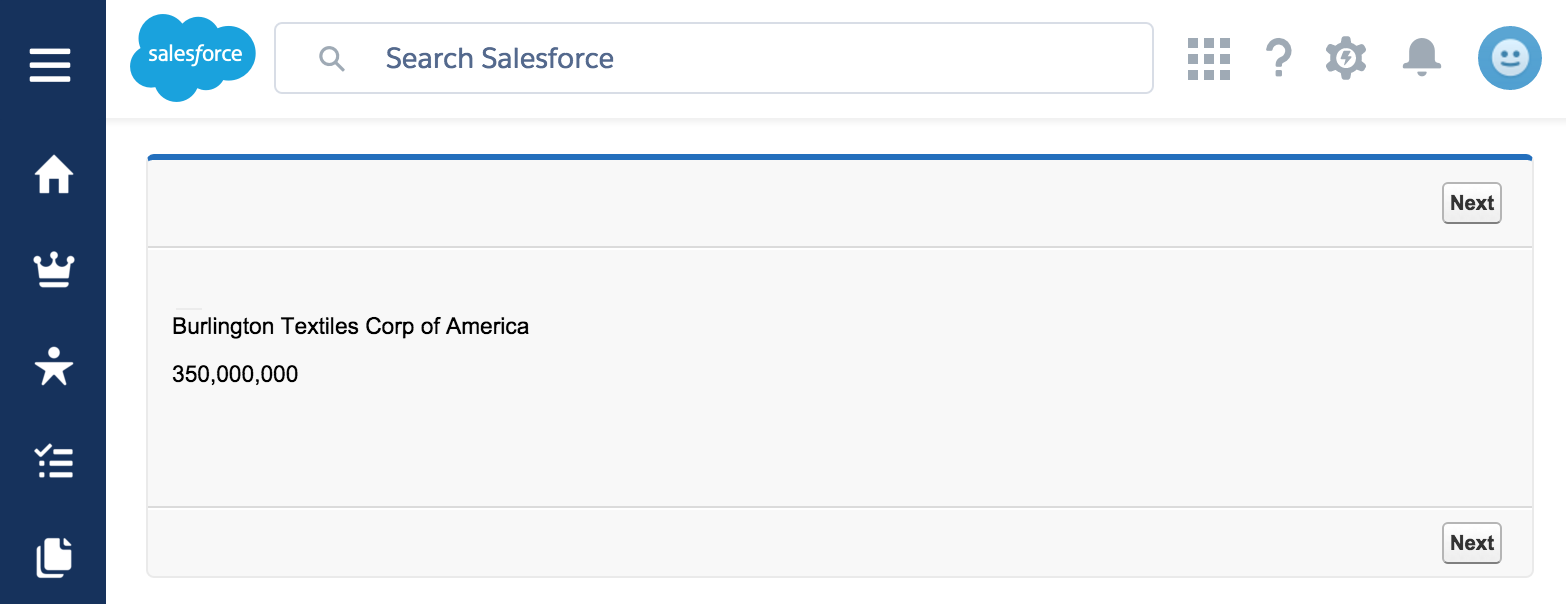
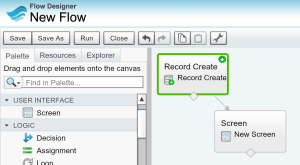
First things first, ensure you have created a SObjectCollection variable in your Flow and ensured its designated as Input. For this blog we are simply going to display a step in the UI for each selected record. Using the Loop and Screen elements. One thing to keep track of is the fields your referencing within the Flow, in this case i’m using Account Name and Annual Amount.

SelectedAccountsFlow

List View Custom Button Example

Lets get started with a Custom Button on the Account List View. When adding a List Custom Button you have two choices, do you want the user to be able to select records or not? If not, then your button will pass all the records in the List View (currently limited to 2000).

So if when creating your Custom Button you plan to select the Display Checkboxes (for Multi-Record Selection) option. Then create the following Visualforce page, changing the object name and list of fields accordingly. This will ensure selected records are passed to your Flow.

<apex:page standardController="Account" tabStyle="Account" recordSetVar="AllAccounts" >
    <!-- Add below each field you reference in your Flow -->    
    <apex:repeat value="{!AllAccounts}" var="row" rendered="false">
        {!row.Name}
        {!row.AnnualRevenue}
    </apex:repeat>
    <!-- Runs your Flow -->    
    <flow:interview name="SelectedAccounts" 
          finishLocation="{!URLFOR($Action.Account.Tab, $ObjectType.Account)}">
        <apex:param name="SelectedRows" value="{!Selected}"/>
    </flow:interview>
</apex:page>

IMPLEMENTATION NOTE: If you want to avoid bothering with changes between lines 3-6, simply re-query the records in the Flow using the Fast Lookup element. Thought it’s less efficient this way since your not leveraging the query made by Visualforce.

If you don’t want the ability for the users to select records and want all records, the main difference to the above is a change to the line 10, passing in the AllAccounts binding.

    <!-- Runs your Flow -->    
    <flow:interview name="SelectedAccounts" 
          finishLocation="{!URLFOR($Action.Account.Tab, $ObjectType.Account)}">
        <apex:param name="SelectedRows" value="{!AllAccounts}"/>
    </flow:interview>

Don’t forget to add your button to the List View layout, select some records and give it a try!

SelectedAccountRow

Related List Custom Button Example

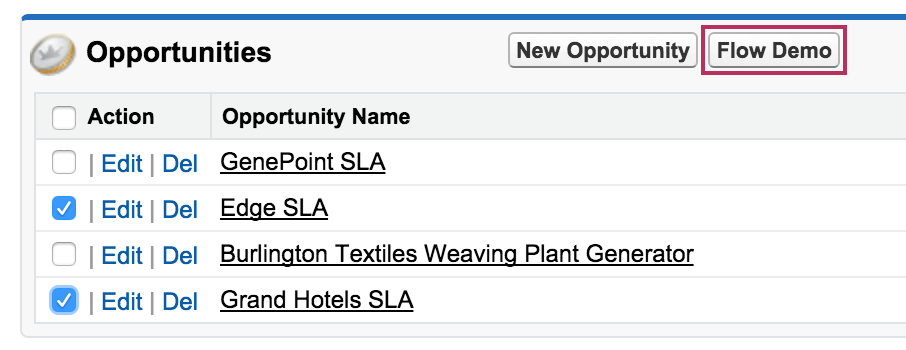
In this case the Visualforce page is much the same, accept that of course your placing the associated button on the Layout of the parent object by editing the applicable related list section. The following example shows a button on the Opportunities related list on the Account object.

<apex:page standardController="Opportunity" tabStyle="Opportunity" recordSetVar="AllOpportunities">
    <!-- Add below each field you reference in your Flow -->
    <apex:repeat value="{!AllOpportunities}" var="row" rendered="false">
        {!row.Name}
        {!row.Amount}
    </apex:repeat>
    <!-- Runs your Flow -->
    <flow:interview name="SelectedOpportunities" 
          finishLocation="{!$CurrentPage.parameters.retURL}">
        <apex:param name="SelectedRows" value="{!Selected}"/>
    </flow:interview>    
</apex:page>

RelatedListFlowButton

IMPLEMENTATION NOTE: Note that the above Visualforce page code uses a URL parameter retURL, which is not available in Lighting Experience. It still works, but leaves the user on the finish page.

Summary

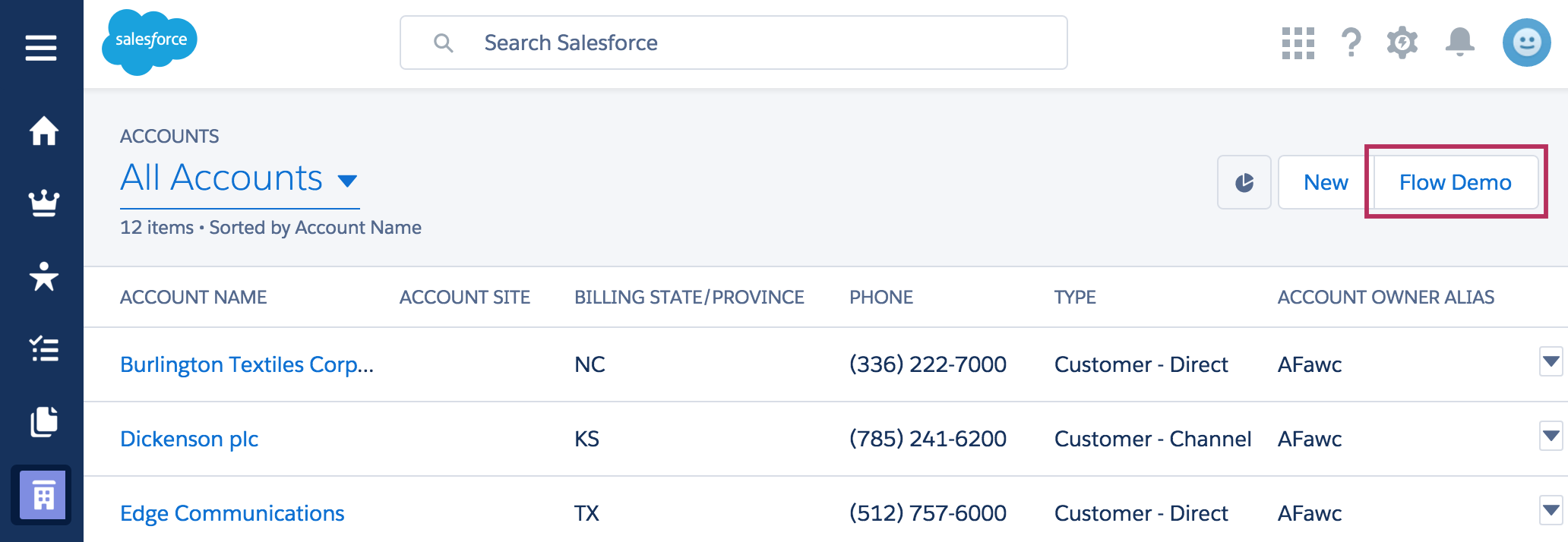
For more information on passing values to Flows using Visualforce check out the docs here. With the exception of the retURL hack above, i’m pleased to see support in Classic and Lighting Experience. Though the later, has yet to obtain support for providing the record selection support, so only the all records use case is available.

At present Visual Flow styling does not quite look at home either in Lightning Experience, which made me wonder about trying SLDS styling with Flow’s CSS customisation abilities (i will let everyone known how successful this is!)…

AccountFlowListViewLEX

FlowInLEX

Finally both these approaches will also work equally well with Automation Flows (aka Headless Flows), just in case, as with the example in my earlier blog you just want to do some kind of calculations without prompting the user.


27 Comments

Supercharging Salesforce Report Subscriptions with Apex and Flow

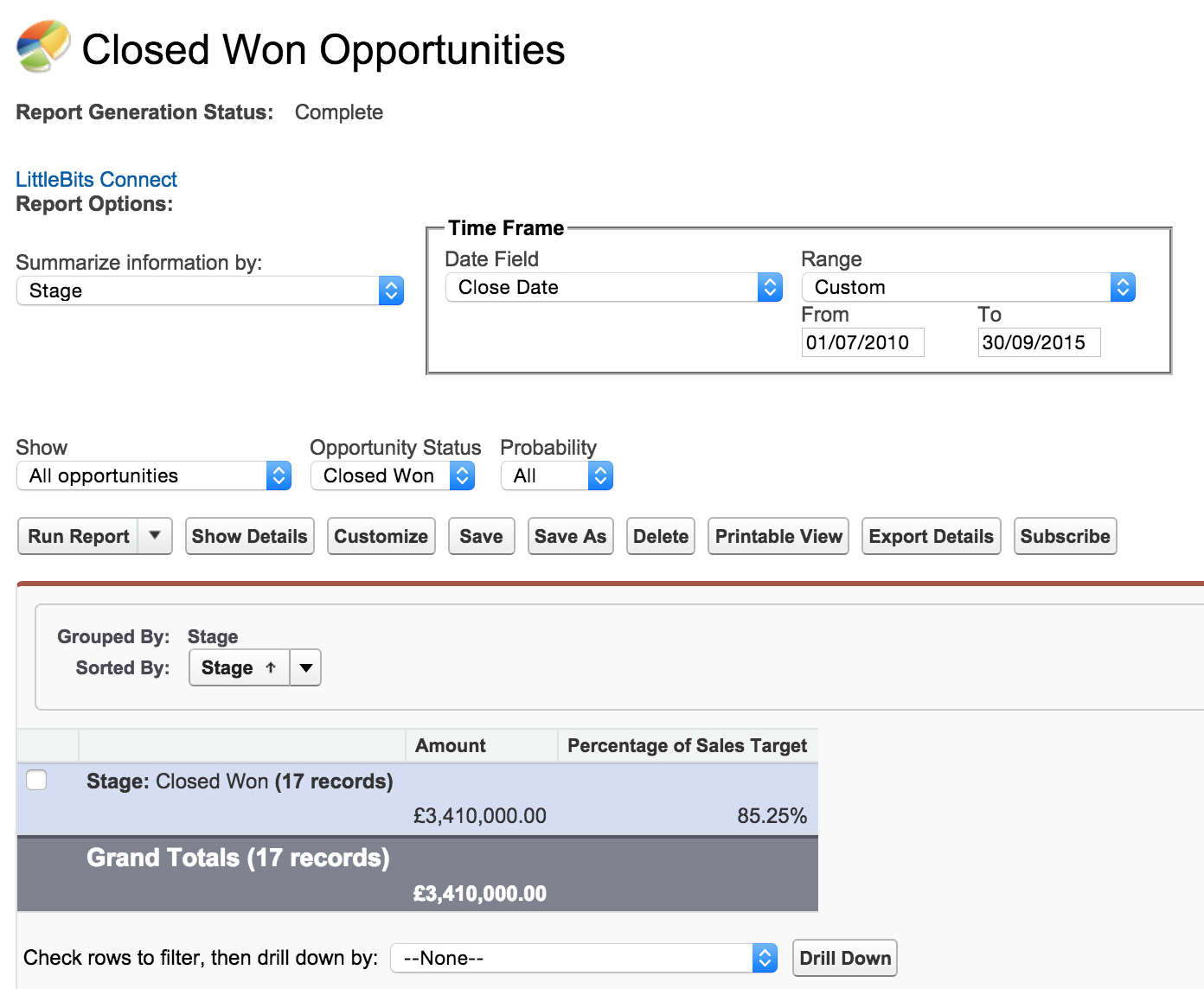
In the Spring’15 release Salesforce provided the ability to subscribe to reports. This is done through a new Schedule button shown below. Users can schedule reports with criteria based on the report contents. When the platform runs the report, the criteria gets evaluated and if met will result in notifications sent to the user. The usual Email and Chatter options are available, as well Mobile Notifications for Salesforce1 mobile users, pretty cool!

ReportSubscribe

It is the last notification option that caught my interest. Described simply as Execute Custom Action. This is in fact the gateway to many more possibilities, as it is essentially a peace of any Apex code. When the report is run and the criteria is met the platform will call your Apex code, a bit like an Apex Trigger but for Reports. Given the capabilities of Apex and what users can do with Salesforce Reports, thats not just pretty cool, that’s super cool!

Subscription

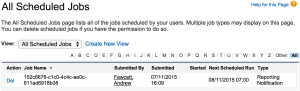
Once the user saves the subscription the platform creates a scheduled entry that can be seen and deleted by administrators under the All Scheduled Jobs page under Setup, classified as Reporting Notification scheduled job type. The job will then run under the user context of the user that setup the subscription. Note that each user can only setup up to 5 report subscriptions presently.

Creating a Custom Action with Apex

In order for your Apex class to appear in the above UI for selection you must implement a platform provided Apex interface. The Reports.NotificationAction Apex interface is pretty simple, with just one execute method.

public with sharing class MyReportNotification 
	implements Reports.NotificationAction {

	public void execute(Reports.NotificationActionContext context) {
	    // Context parameter contains report instance and criteria
	    Reports.ReportResults results = context.getReportInstance().getReportResults();
	    // In the above subscription case this is the 'Record Count'
	    System.debug(context.getThresholdInformation().getEvaluatedConditions()[0].getValue();
	    // You can also access the report definition!
	    System.debug(results.getReportMetadata().getName());
	}
}

If your familiar with the Analytics Apex API, you’ll soon feel quite at home with the information provided by the context parameter. The context parameter passes in an instance of the report itself, as in the records of the report. As well as a reminder of the criteria behind the subscription (as entered in the UI above) and the aggregate values that caused the criteria to be met. Also the report definition (its metadata), useful if you wanted to write a generic handler for example.

What about Clicks not Coders?

Now i love Apex coding, but i also know that this platform has not got where it has from just providing a programming language. Having a declarative means to deliver solutions rapidly with more pervasive skills is the corner stone of what makes the platform so successful. Tools like Process Builder and Visual Flow are a great example of this.

So you may think Salesforce have missed an opportunity here, by not providing a means to use for example an Autolaunched Flow as a Report subscription. I personally think so, hence i’ve raised this Idea Exchange idea here, please up vote if you agree. Meanwhile, all is not lost!  As i’ve previously blogged there is a means to invoke Flow’s from Apex. So this got me wondering if Apex could be the glue between Salesforce Report Notifications and Flow?

Here is the result of a basic experiment of calling a Flow from an Apex Report Notification…

public with sharing class MyReportNotification 
	implements Reports.NotificationAction {

	public void execute(Reports.NotificationActionContext context) {
		// Context parameter contains report instance and criteria
		Reports.ReportResults results = context.getReportInstance().getReportResults();
		// Construct some parameters to pass to the Flow
		Map<String, Object> params = new Map<String, Object>();
		params.put('ReportName', results.getReportMetadata().getName());
		params.put('RecordCount', context.getThresholdInformation().getEvaluatedConditions()[0].getValue());
		// Call the Flow with the parameters
		Flow.Interview.MyReportNotificationFlow reportNotificationFlow = 
			new Flow.Interview.MyReportNotificationFlow(params);
		reportNotificationFlow.start();		 
	}
}

Implementation Note: The only drawback so far i can see is sadly you cannot pass the whole context parameter “as is” into Flow, as its variable types are quite limited, to make this more generic you would have to be quite inventive as to how you pass information.

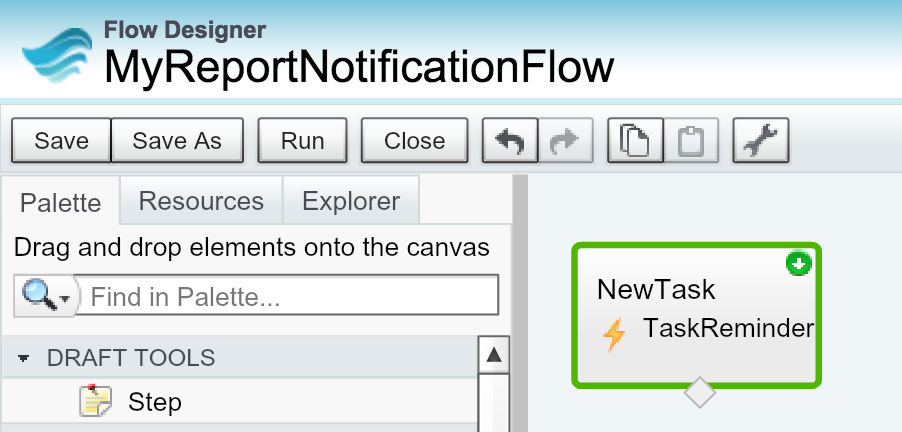
The following shows the Autolaunched Flow called in the above example. It’s pretty simple but achieves something the other notification options cannot which is to create Task. If you want to know more see my blog here.

ReportNotificationFlow

This results in a Task being created for the user as shown in the screenshot below. There is certainly a great potential for this type of approach, as it allows for clicks not coders to stretch their declarative skills without having to revisit the Apex code each time a new requirement or change is required.

TaskCreatedByReportFlowNotification

Running, Testing and Debugging

SubscribeSaveAndRunIf you look closely at the UI above you’ll see the button Save & Run Now. As the name suggests this will save the subscription details and run the report immediately. If the criteria is met your Apex class will be called immediately also. This is obviously pretty useful as the most granular scheduling period is on the hour.

ScheduledSubscriptionReportWhen i did schedule the subscription as normal users would. I found oddly no evidence of it in the Apex Jobs page, despite a schedule appearing on the All Scheduled Jobs page. Its pretty obvious the platform runs these async, so i would have expected some evidence of this…

During my testing i found the Debug Logs output as expected (in both execution modes above). Though an important note is any exceptions thrown got swallowed when run from the UI, so always check your debug log if things are not working as expected.

Warning Possible Platform Bug: I did find that if my Apex code threw an exception when i used the UI to run my code it deleted any prior schedules for the report subscription. I had to delete and recreate the subscription to get the schedule entry back. I’ll investigate this a bit further and raise a case with Salesforce.

Writing an Apex Test for Report Notification Actions

Writing Apex Tests for the above is little different than the usual approach, mainly owing to the fact that the Analytics API requires that Apex tests leverage the SeeAllData attribute. This is clearly less than ideal, but is indeed documented as such in the formal Salesforce documentation.

In order to emulate the platform calling your execute method, you’ll need to mock the context parameter, fortunately it seems unlike some system types the context parameter type can be constructed, nice!

@IsTest
private class MyReportNotificationTest {
	
	@IsTest(SeeAllData=true)
	private static void testMyReportNotification() {
	
		// Get an instance of the report
		Report report = [SELECT Id FROM Report WHERE DeveloperName = 'ClosedWon'];
		Test.startTest();
		Reports.ReportInstance reportInstance =
          Reports.ReportManager.runAsyncReport(report.Id, true);
		Test.stopTest();

		// Emulate the platform calling the custom action passing criteria that was met
		MyReportNotification myReportNotification = new MyReportNotification();		
		Reports.NotificationActionContext context = 
			new Reports.NotificationActionContext(
				reportInstance, 
				new Reports.ThresholdInformation( 
					new List<Reports.EvaluatedCondition> {
							/* new Reports.EvaluatedCondition(
								'RecordCount', 
								'Record Count', Double.valueOf(0), Double.valueOf(1), 
								Reports.EvaluatedConditionOperator.GREATER_THAN) */ }));
		myReportNotification.execute(context);

		// Assert accordingly...
		// ...
	}
}

Implementation Note: At time of writing, i found that i could not create a mock instance of the Reports.EvaluatedCondition type without receiving a compilation error claiming the constructor was not found (hence why its commented out). I’ll update this blog if i find out why. This issue will limit the testing of any criteria / threshold references in your code you make.

Summary

I love how Salesforce are opening up more of the platform to support Apex callbacks like this. It adds much more flexibility for developers to really extend the platform and not just solutions on top of it. In this case it also provided some flexibility for us to plug any gaps in the platforms current feature set. Salesforce please keep it up!


1 Comment

Pillars of Enterprise Development

During 2014 i authored my first full book, entitled Force.com Enterprise Development, it was a long process taking over 8 months, so certainly if your considering such a thing yourself be prepared for a big investment! The opening paragraph is as follows…

2994EN_ Salesforce1 Platform Enterprise Architecture_0Enterprise organisations have complex processes and integration requirements that typically span multiple locations around the world. They seek out the best in class applications that support their needs today and in the future. The ability to adapt an application to their practices, terminology, and integrations with other existing applications or processes is key to them. They invest as much in your application as they do in you as the vendor capable of delivering an application strategy that will grow with them.

Motivation and background to the book

The Salesforce community is diverse, consisting of package developers, in house developers and consultants, each with varying degrees of technical knowledge. While Salesforce documentation can be found to address the needs of each of these types of developers, it is often more of a reference style in nature and can be hard to contextualise. Meaning a clear path to an architecture for enterprise developers to refer can be hard to find and peace together.

I wanted the book to act as flow for all that a developer needs to get the best out of the platform while laying down a strong foundation of development practices and patterns, to allow their application to scale and evolve with the same rapid pace of the platform itself (see some examples of where this has been achieved below).  Existing enterprise Java or .Net developers considering the platform will find some well known enterprise patterns. There has been a significant increase in architecture and best practice questions over the last 2-3 years on the Salesforce forums such as StackExchange and Salesforce Community Answers.

Pillars of Enterprise Development

PillarsWhen planning the outline for the book and thinking about Enterprise development on the platform in general, i had three core beliefs in mind that i wanted to seed within the book.

  • Embrace the whole Platform, The first tenant of the Force.com platform is to combine the power of the declarative programming style with the traditional source code based programming style. Doing so ensures not only the developer is as effective as possible, focusing on coding only where needed, but also the resulting application has strong ‘native’ feel to it, giving its end users access to the platforms rich set of customization, configuration and integration capabilities that enterprise customers demand. I wanted the reader to have a key awareness of the benefits of being ‘native’ on the platform, to keep it in mind always and realize the benefits this combined development approach can be bring to end users.

  • Build Strong Foundations, Enterprise applications are expected to serve their customers for many years to come, as customers build solutions and processes around them, which become a critical part of their businesses. As applications grow in complexity the code base especially needs to not buckle under the pressure, be that the addition features or general maintenance of existing features, made by existing or new developer resources. A strong foundation will ensure that the code base endures this type of change with minimal impact on the rest of the system and the users. I wanted the reader to get a strong sense of the meaning of Separation of Concerns and how it applies to enterprise applications built on the Force.com platform.

    • Lightning Experience was obviously not around at the time and Lightning Components only in Pilot, now they are both GA, but are Services still as applicable to Lighting controllers? You bet!

  • Your Application as Platform, Enterprise customers demand high levels of integration, customization and integration from your application, as they either repurpose or consume the application within a larger business process or integration. So i wanted the reader to gain an understanding of the Force.com platform features they can leverage to ensure that these aspects are considered from an architecture perspective and thus baked into each new application function, such that the resulting application becomes in essence a part of the platform itself.

    • Lightning Process Builder was but a gleam in someones eye a year ago, but can Services be exposed via Invocable Methods to this tool? You bet!

I’m so pleased and proud to see some great reviews of the book and also some great feedback on Twitter. If your interested in taking a deeper look check out the sidebar of my blog, you can get your hands on it both digitally and in good old paper back! Enjoy!


30 Comments

Setup Audit Trail API in Winter’16

Winter’16 was a bit low on API for me, but one thing i just found hiding in the New Objects section, was this…

SetupAuditTrail, “Represents changes you or other administrators made in your organization’s Setup area.”

WBAuditWow, this is a BIG thing and opens up a lot of tooling and greater compliance support for changes around orgs. Prior to this, folks where so keen to get hold of this information programatically they would resort to web scraping it from the Salesforce Setup menu!  So I set about giving it a spin via Developer Workbench and learning more about the object.
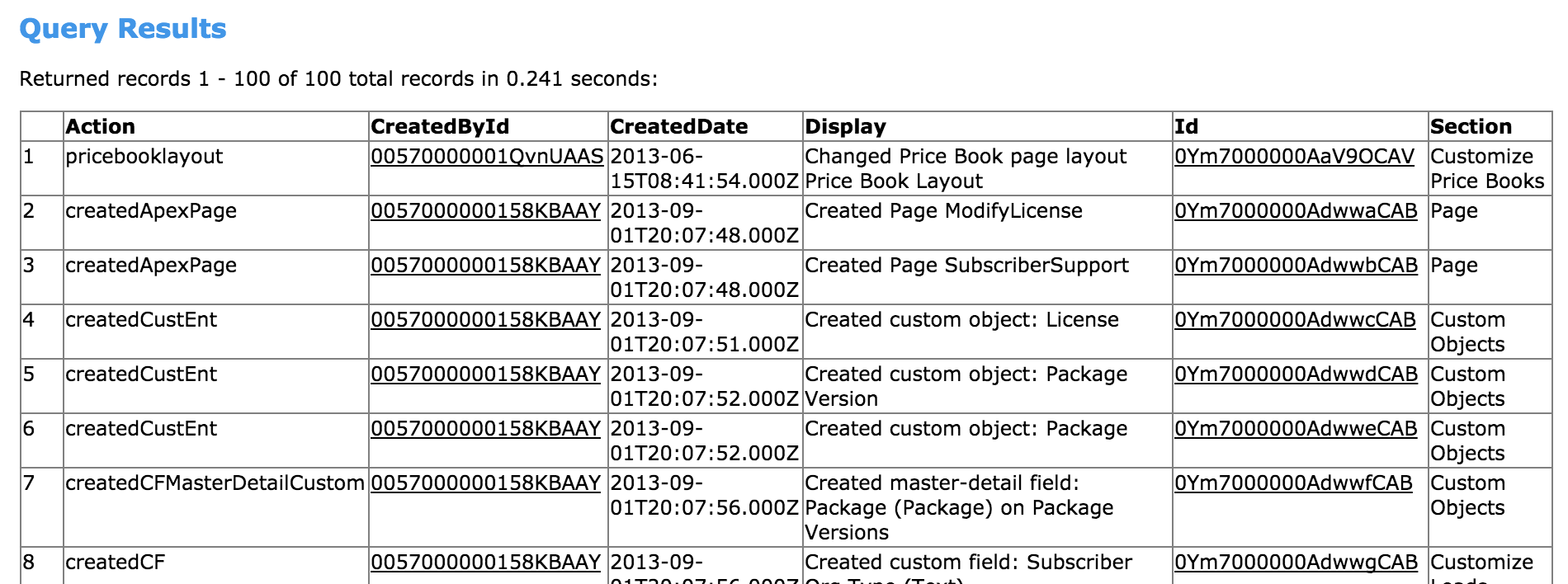
WBAuditResults

There is also much better data export support via tools such as DataLoader.io (and of course other tools)….

AuditDataLoaderIO

So in addition to Salesforce API’s (used by the above tools), it is also available via Apex SOQL! The following selects all audit records relating to users from a certain email domain.

List<SetupAuditTrail> stuffDoneByConsultants = 
    [SELECT Id,
     	Action,
     	CreatedBy.Name,
     	CreatedDate,
     	Display,
     	Section 
     FROM SetupAuditTrail 
     WHERE CreatedBy.Email LIKE '%xyzconsulting.com%'];

So what else can we do with it? Well… not a lot more sadly, doing an Apex Describe shows that its basically only query-able, no triggers, replication API or indeed streaming API, which while not a total surprised would have been very cool!

Age of Records?

Through the long standing CSV download facility under setup, only 6 months worth of data is available. However running queries in my various long standing orgs i’m seeing data going back as far as all time?!? Although there is no documentation to confirm, and i would honestly would not be surprised to see some limit here, perhaps those of you running long standing production orgs can confirm via the comments below?

What are its fields?

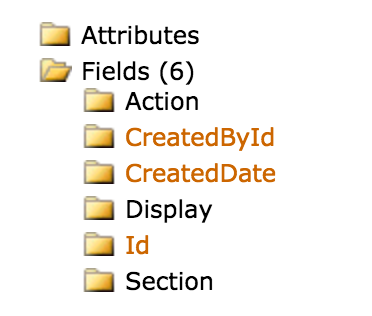
AuditFieldsAs you can see the SetupAuditTrail objects fields are not the most ideal to interpret the data, aside from CreatedBy field (which supports relationship walking to the User object). The most interesting are Action, Section and Display, the later is the one that actually contains the object, field, layout or whatever has changed. The challenge here is its embedded in a message and not called out separately, so there is a bit of parsing to be done here.

IMPORTANT NOTE: The only gap i can see so far is the Delegate User (found in the Setup UI and CSV download) appears to be missing from the API at the moment. Yet it is documented as follows… ‘The Login-As user who executed the action in Setup. If a Login-As user didn’t perform the action, this field is blank.’

So what next?

  • Well i see AuditForce is an example of application tool that was created to better report and dashboard on this information, this tool could be enhanced to use this API now and remove the current web scraping hack the developer (Daniel Peter) was forced to utilise back then.
  • With Apex support its also possible to write Apex Scheduled jobs that periodically scan for certain updates and apply your own rules and notifications.
  • I was thinking it might also be useful to have a nice Lighting Component perhaps?
  • The Setup UI does not permit filtering or even sorting, it would probably not require to much coding to get something like the excellent Data Table component show results of queries from this object (as featured in my List View API blog).
  • Finally given this is available from Salesforce REST API, its also feasible to aggregate into a single console audit information from say multiple sandboxes (something Daniel hints at in his AuditForce blog).


4 Comments

Tips for Migrating to Apex Enterprise Patterns

splitOne of the common questions i get asked is, “How do i adopt Apex Enterprise Patterns within an existing code base?“.

Often its also folks who have not owned the code base from the start and are inheriting it. Your also not likely to be blessed with a empty cheque of time to sort the code out before your asked to start adding new features or fixing issues. So how do you find time to crack open an old code base and start introducing Separation of Concerns?

Tip 1. Pick and choose and go incrementally! You can pick and choose what layer you want to work on first and incrementally split out further. For example Service layer implementations don’t have to use Unit of Work, Domain or Selector initially. Typically I find the Service layer the most value add to get in place first. Going incrementally over a few release iterations perhaps, across the tips below can help you and your team walk before you start to run with the patterns and gain confidence and support across the team in the approach.

Tip 2. Get a basic Service layer going. Even if you don’t adopt any other aspect, try to look for opportunities to move code from controllers, batch classes etc into a service layer. Remember that technically it is essentially a class ending in Service with some static methods in it, its the meaning and responsibility of it thats important here. If you don’t have time to follow all the conventions such as bulkification don’t worry, by moving it a Service you’ve already made a big step! For sure however, don’t apply global to your service until your happy with it’s methods.

Tip 3. Sweeping out inlined SOQL. Again if your not ready to use the base classes in the library here, just start naming classes with the Selector suffix and re-home your code performing SOQL into methods on that class. You won’t get all the benefits of consistency, but you will start getting those from reuse and encapsulation. That said the Selector pattern does not really need you to have other things setup so do consider extending the base class where you can, doing for some Selectors and not others is also fine if some are a bigger challenge.

Tiincrementalp 4. Moving your Trigger code into Domain class. The Domain class does support all the Apex Trigger events, and has several overrides to invoke code that applies to multiple events. So you should be able to find a home for your trigger code amongst the various overrides given by the base class. If you have got some recursive stuff going on you’ll want to look at the Statefull configuration in the Domain class.

You may want to start with this one over tips 2 and 3 if your code is heavily Apex Trigger driven, it often the best way to show other developers the value as well, as the code starts to become more OO and more factored for typically little risk so long as you have good Apex tests in place. Finally developers familiar with so called Wrapper Patterns elsewhere in the community should warm to this pattern more quickly.

Tip 5. Adding Application Factory and Mocking support Incrementally. This is possibly easier to add in areas of the solution where most of the patterns are starting to fall into place so don’t rush into adding this to soon. Separation of Concerns is key to making mocking work. So don’t try to introduce this to soon if you’ve not got things factored out well enough. That said, you may find adding support just for mocking the Service layer gives you some initial boosts in writing tests around controllers and batches classes and the like. The Unit of Work does not need to be fully configured either, its fine to have only have a subset of your objects representative of the areas its used in.

So there you have it, some food for thought, i’m interested to know of approaches and processes others have ended up taking and if there is any neat short cuts or evening tooling options perhaps?