Andy in the Cloud

From BBC Basic to Force.com and beyond…


1 Comment

Five ways Heroku AppLink Enhances Salesforce Development Capabilities

Over the years through this blog I have enjoyed covering various advancements in Salesforce APIs, Apex, Flow, and more recently, Agentforce. While I have featured Heroku quite a bit – despite it being a Salesforce offering, the reality has been that access to Heroku for a Salesforce developer has felt like plugging in another platform – not just because on the surface its DX is different from SFDX, but because in a more material sense, it has not been integrated with the rest of the platform and its existing tools – in the same way Apex and Flow are. Requiring you to do the integration plumbing before you can access its value.

Now with a new “free” Heroku AppLink add-on, Heroku has now been tangibly integrated by Salesforce into the Salesforce platform – it and code deployed to it even sits under the Setup menu. So now it is finally time to reflect on what Heroku brings to the party!

This blog starts a series on what this new capability means for Salesforce development. Choosing the best tool for the job is crucial for maximizing the holistic development approach the Salesforce platform offers. Apex, Flow, LWC, etc., are still important tools in your toolkit. In my next blog in this series, I’ll share hands-on content, but for now, let’s explore five reasons to be aware of what Heroku and Heroku AppLink can do for Salesforce development:

1. Seamlessly and Securely Attach Unlimited Compute to your Orgs

At times, certain automations or user interactions demand improved response times and/or abiility handle increasing data volumes. While Apex and Flow have a number of options here, they are inherently always constrained by the multi-tenant nature of the core platform that runs their respective logic. The core platform’s first priority is a stable environment for all – thus, largely we see the continued realities of the infamous governor limits. Going beyond some, though not all, of the governor limits that either stop or at least slow things down is now possible – and without leaving the Salesforce family of services.

You can deploy code to Heroku with git push heroku main, which works in much the same way as sf project deploy to upload your code and run it, then you declaratively assign your compute needs, and attach (using the publish command) access to it for use within your Flow, Apex, LWC or Agentforce implementations – across as many orgs as you like using the connect command.

Heroku supports both credit card (pay as you go) and contract billing for compute usage – with the smallest plan at $5 a month already able to run complex and lengthy compute tasks easily – though milage of course varies on usecase.

2. Tap into the worlds most popular languages and frameworks within Salesforce

Salesforce has some history of embracing industry languages such as Node.js for Lightning Web Components and, with that, taps into wider skill set pools, and also commercial and open-source web component libraries. With Heroku AppLink, this is now true for backend logic – and in fact, it extends language support to Python, .NET, Ruby, Java, and many more languages, all with their own rich communities, libraries, and frameworks. Does this mean I am suggesting you port all your Apex code to other languages? No – remember this is a best tool for the job mindset – so if what you need can be better served with existing skills, code, or libraries available in such languages, then with AppLink you can now tap into these while staying within the Salesforce services.

Note: Heroku AppLink provides additional SDK support presently only for Node.js and Python. That said its API is available to any language – and is fully documented. Java samples included with AppLink illustrate how to access the API directly – along with existing Salesforce API libraries.

You may also think that with this flexibility comes more complexity; well, like the rest of Salesforce, Heroku keeps things powerful yet simple. Its buildpacks and simple CLI command git push heroku main remove the heavy lifting of building, deploying, and scaling your code that would otherwise require skills in AWS, GCP, or other platforms – what’s more, Heroku also curates the latest operating system versions, and build tools for you.

3. More power to existing Apex, Flow and Agentforce investments

As we are practicing choosing the best tool for the job – for complex solutions it’s typically not a case of one size fits all – that’s why we have a spectrum of tools to choose from – while one solution, for example, might be mostly delivered through Flow, the most complex parts of it might depend on some code – and thus having interoperability between each approach is important.

Heroku AppLink draws on the use of platform actions – which has over the years become the de facto means to decompose logic/automations – allow reusable logic to be built in code via Apex or declaratively in Flow. Now with Heroku AppLink, you can also effectively write actions in any of the aforementioned languages and also if needed scale that code beyond traditional limits such as CPU timeout and heap – while benefiting from increased execution times.

What is also critical to such code, is user context, so that data access honors the current user, both in terms of their object, field, sharing permissions but also audit information retaining a trail of who did what and when to the data. Thus, Heroku AppLink has the ability to run code in Salesforce “user mode” – much like Apex and Flow – this means the same – your SOQL and DML all operate in this mode – in fact, that’s the default – no need to qualify it as with Apex. This approach follows the industry pattern of the Principle of Least Privilege – there is also a way to selectively elevate permissions as needed using permission sets.

4. Make External Integrations more Secure

Heroku is also known to the wider world as a Paas (Platform-as-a-Service) providing easy to use compute, data and more recently AI services without the infrastructure hassle. This leads to Heroku customers building practically any application or service they desire – again in any language they desire. For example, a web/mobile experience can be hosted along with required data storage – both able to scale to global event needs. Heroku AppLink, joins Heroku Connect to start a family of add-ons that also help such consumer facing or even internal experiences tap into Salesforce org or even Data Cloud data – by effectively managing the connection details securely in one place – elevating the complexity of managing oAuth, JWT, certifications etc.

5. Leverage additional data and AI services

If all your data resides within a Salesforce org or Data Cloud, Heroku AppLink provides an easy to use SDK to make using the most popular APIs easy and even provides a long time favorite of mine, Martin Fowlers, Unit of Work over the relatively complex composite Salesforce APIs to manage multi-object updates within a single transaction.

Beyond this, you can also take advantage of Heroku Postgres to store additional data that does not need to be in the org but needs to be close at hand to your code – likewise attach to data services elsewhere in AWS, DynamoDB for example. Heroku also provides new AI services that provide a set of simple to use AI tooling primitives on top of the latest industry LLM’s. All these Heroku services exist with the same trust and governance as other Salesforce services and thus leveraging them means you don’t have to move data or compute outside of Salesforce if thats something your business is particularly sensitive to.

Summary

Salesforce continues to bring new innovations to its no-code and code tools that are exciting but yet broaden the burden of choice and making the right choice. With Heroku AppLink, this has indeed added to the mix – and expands the classic vs. question – to – when to use Flow vs. Apex vs. Heroku?

I’ve noticed that the Flow vs. Apex debate is still strong at community events this year. When it comes to “code,” whether it’s Apex, Python, Java, or .NET—excluding Triggers, which AppLink doesn’t support—my opinion on no-code versus code remains the same – consider wisely use of one or both accordingly. In respect to coded needs, I still would still generally recommend Apex first, that is unless your project needs align with the points above – then it’s worth further discussion. Ultimately, it’s about finding a suitable mix instead with all three supporting actions, it’s easier to blend and evolve as needed.

As I hinted at the start of this blog, I plan to get into more hands-on blogs on Heroku AppLink and some reflections on ISV usage. Between these, I also have other Apex-related topics I want to explore—such as the new Apex Cursors feature. In the meantime, here below are some useful links about Heroku AppLink available as of the time of this blog.

Thanks for readying, hope it was useful!


Leave a comment

Enhancing Agentforce Output with Rich Text Formatting

I have been working with Agentforce for a while, and as is typically the case, I find myself drawn to platform features that allow extensibility, and then my mind seems to spin as to how to extract the maximum value from them! This blog explores the Rich Text (a subset of HTML) output option to give your agents’ responses a bit more flair, readability, and even some graphical capability.

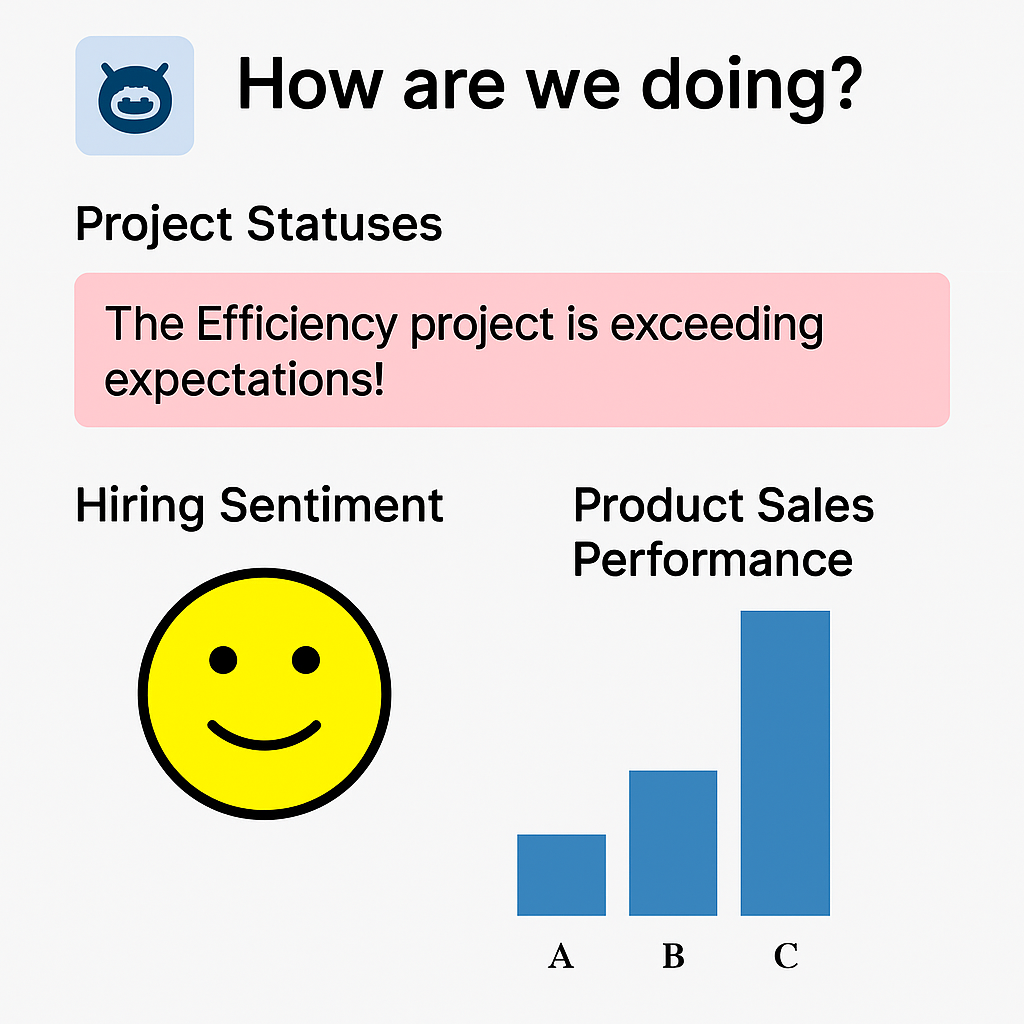
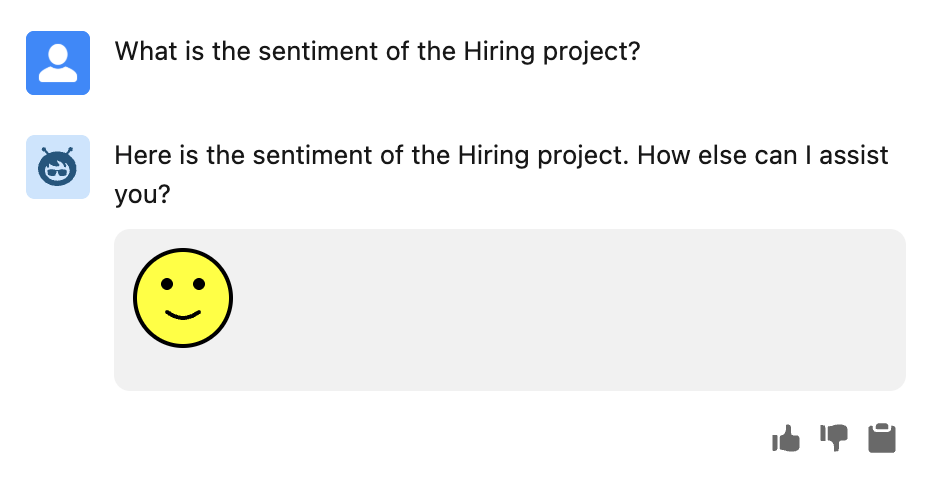
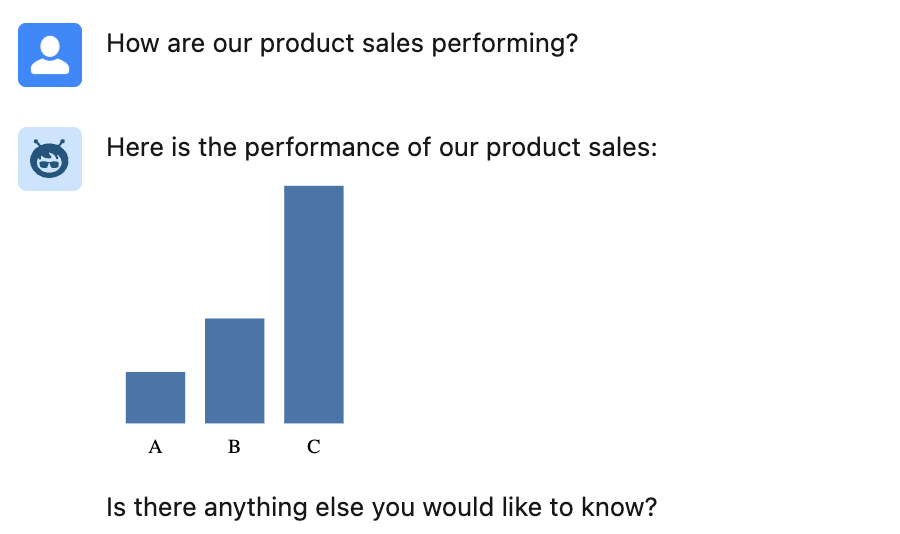
Agentforce Actions typically return data values that the AI massages into human-readable responses such as, “Project sentiment is good”, “Product sales update: 50% for A, 25% for B, and 25% for C”, “Project performance is exceeding expectations; well done!”. While these are informative, they could be more eye-catching and, in some cases, benefit from more visual alternatives. While we are now getting the ability to use LWC’s in Agentforce for the ultimate control over both rendering and input, Rich Text is a middle-ground approach and does not always require code. All be it perhaps a bit of HTML or SVG knowledge and/or AI assistance is needed – you can achieve results like this in Agentforce chat

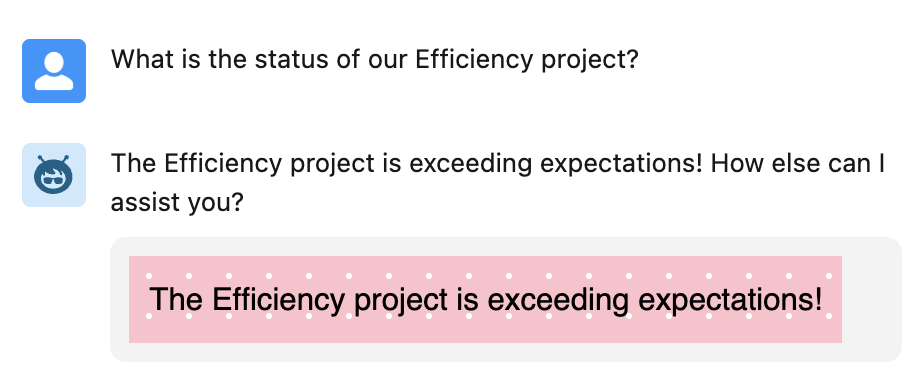
Lets start with a Flow example, as it also supports Rich Text through its Text Template feature. Here is an example of a Flow action that can be added to a topic with instructions to tell the agent to use it when presenting good news to the user, perhaps in collaboration with a project status query action.

In this next example a Flow conditionally assigns and output from multiple Text Templates based on an input of negative, neutral or positive – perhaps used in conjunction with a project sentiment query action.

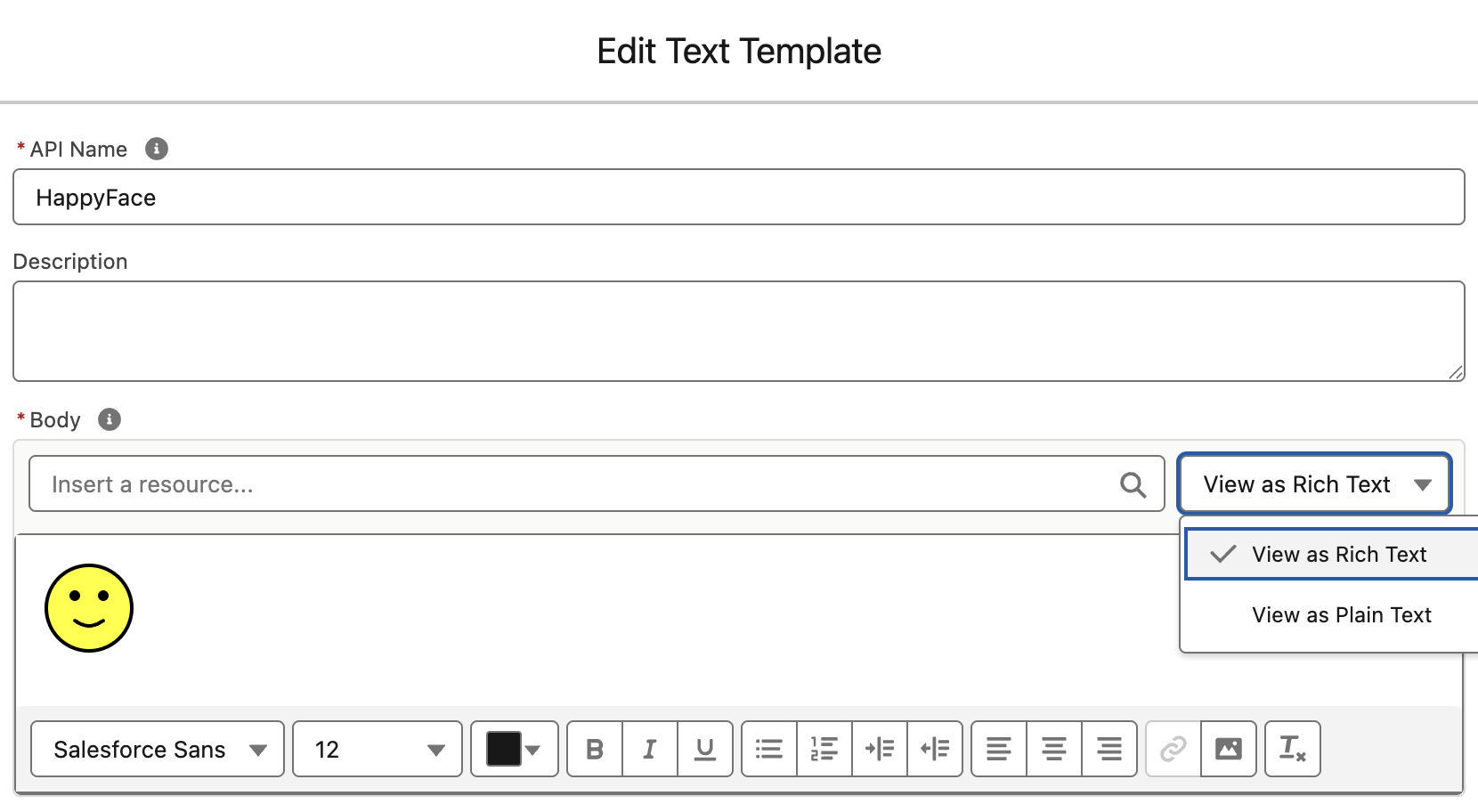
The Edit Text Template dialog allows you to create Rich Text with the toolbar or enter HTML directly. Its using this option we can enter our smile svg shown below:

<svg xmlns='http://www.w3.org/2000/svg' width='50' height='50'><circle cx='25' cy='25' r='24' fill='yellow' stroke='black' stroke-width='2'/><circle cx='17' cy='18' r='3' fill='black'/><circle cx='33' cy='18' r='3' fill='black'/><path d='M17 32 Q25 38 33 32' stroke='black' stroke-width='2' fill='none' stroke-linecap='round'/></svg>

For a more dynamic approach we can break out into Apex and use SVG once again to generate graphs, perhaps in collaboration with an action that retrieves product sales data.

The full Apex is stored in a Gist here but in essence its doing this:

@InvocableMethod(
   label='Generate Bar Chart' 
   description='Creates a bar chart SVG as an embedded <img> tag.')
public static List<ChartOutput> generateBarChart(List<ChartInput> inputList) {
   ...
   String svg = buildSvg(dataMap);
   String imgTag = '<img src="data:image/svg+xml,' + svg + '"/>';
   return new List<ChartOutput>{ new ChartOutput(imgTag) };
}

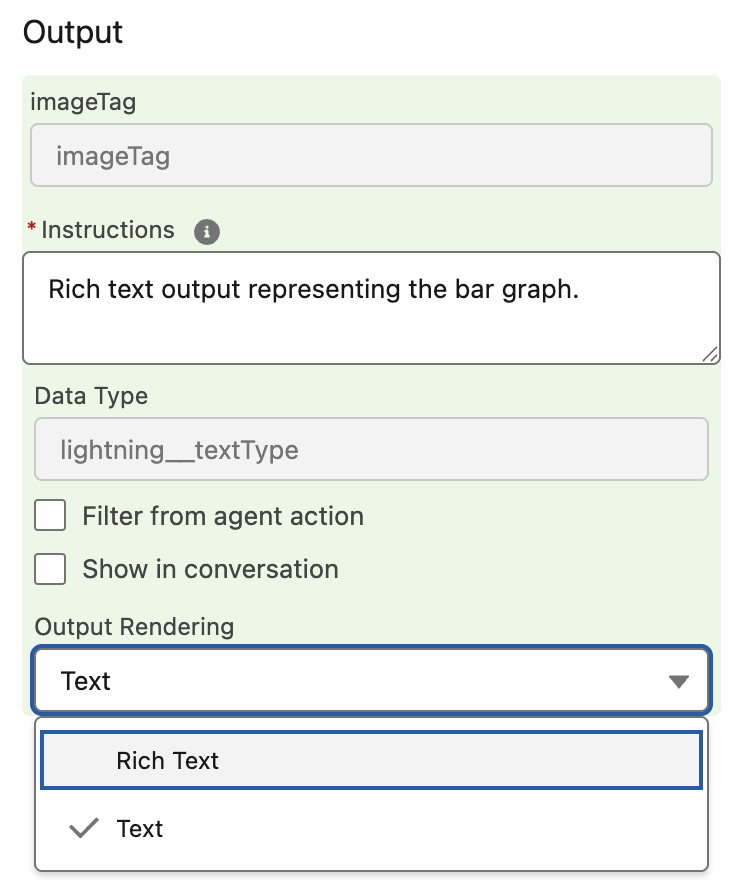
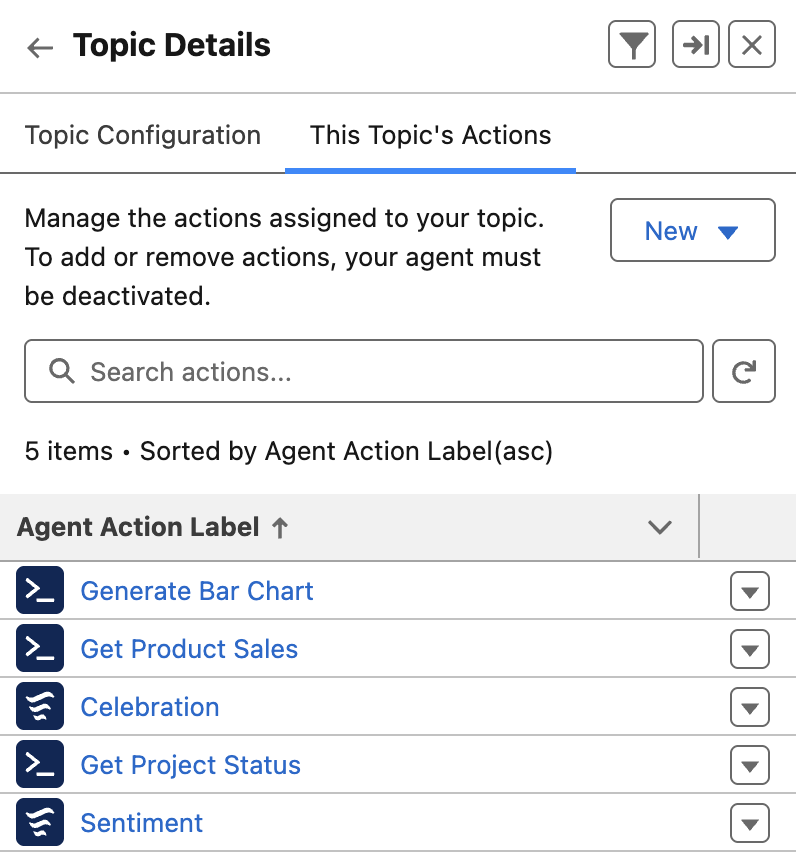
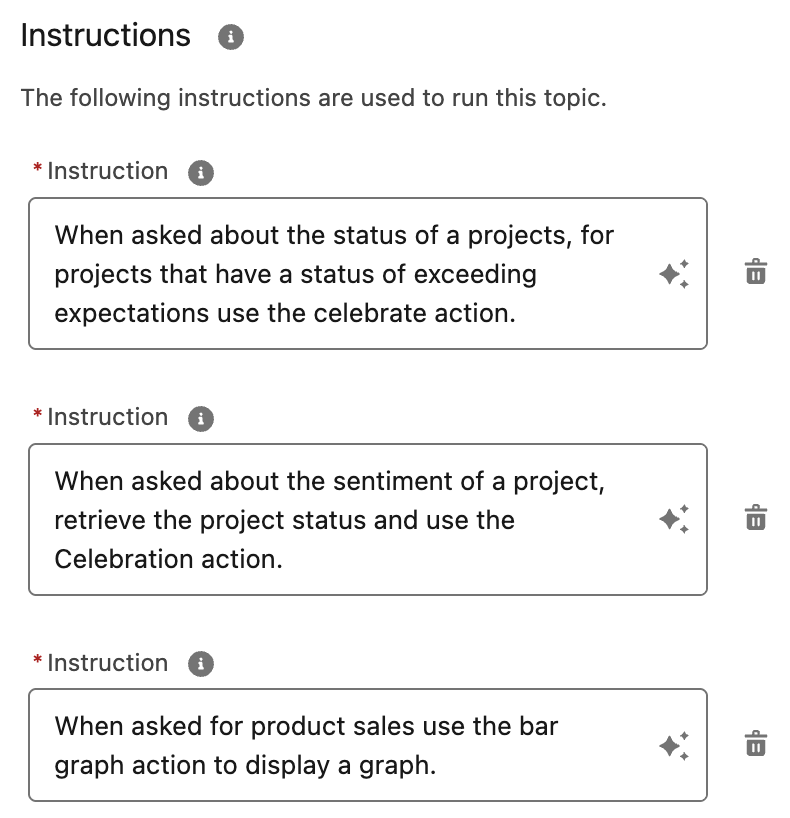
When building the above agent, I was reminded of a best practice shared by Salesforce MVP, Robert Sösemann recently, which is to keep your actions small enough to be reused by the AI. This means that I could have created an action solely for product sales that generated the graph. Instead, I was able to give the topic instructions to use the graph action when it detects data that fits its inputs. In this way, other actions can generate data, and the AI can now use the graph rendering independently. As you can see below, there is a separation of concerns between actions that retrieve data and those that format it (effectively those that render Rich Text). By crafting the correct instructions, you can teach the AI to effectively chain actions together.

You can also use Prompt Builder based actions to generate HTML as well. This is something that the amazing Alba Rivas covered very well in this video already. I also captured the other SVG examples used in this Gist here. A word on security here, SVG can contain code, so please make sure to only use SVG content you create or have from a trusted source – of note is that using SVG embedded in an img tag code is blocked by the browser, <img src="data:image/svg+xml,<svg>....</svg>"/>.

Whats next? Well I am keen to explore the upcoming ability to use LWC’s in Agentforce. This allows for control of how you request input from the user and how the results of actions are rendered. Potentially enabling things like file uploads, live status updates and more! Meanwhile check this out from Avi Rai.

Meanwhile, enjoy!


Leave a comment

New job, a tool update and a bit of coding reflection

Hello everyone! It’s been a little while since I last added a blog, and today is an exciting day. This post covers some personal news about a new chapter in my life, an update to one of my oldest tools, and a reflection on object-oriented programming that I recently encountered and wanted to share.

New Location and New Role

I am excited to share that after nearly 8 years in the USA, my family and I are back in the UK, and wow, did we choose a great time of year with some fantastic weather recently. With a new location comes a new role as well. I am thrilled to continue at Heroku within Salesforce, but this time in the role of VP, Developer Advocacy. As you can see from the picture, it’s not without the influence of one of my other fond pastimes! Warning: some craggle was involved!

In my new role, I’ll be engaging with the developer community, focusing on Heroku and, depending on the audience, how Heroku applies to the rest of the Salesforce portfolio as well. I am thrilled to return to coding, which brings me to my next topic! I’ve been working on an update to the long-standing Salesforce GitHub Deployment Tool, which has been dutifully hosted on Heroku and serving the community’s deployment requests since 2013. After a bit more testing, I will be releasing it later this month.

Screenshot

Upgrading older code

For those not aware, the Salesforce GitHub Deployment Tool allows you to easily add a button to your GitHub repository, enabling others to deploy your latest and greatest library or tool directly to their production or sandbox org. It is built with the Java Spring framework and uses some Salesforce libraries for the API connections. Since Salesforce routinely deprecates its older APIs, an upgrade was in order! Not only that, but I also chose to upgrade its Spring framework, which went largely to plan—apart from one hitch…

Learning: When overriding base class logic be careful

In OOP (object-oriented programming) languages, it’s a convention, of course, to allow overrides of base class methods to facilitate extensibility and reuse. However, with great power comes great responsibility. Consider the code below for a moment, knowing that the base class this class extends is actually from another library being upgraded. Spot anything that could potentially be an issue?

Screenshot

In the above case, once I upgraded the Spring framework, an important new part of the base class initialization was bypassed, resulting in a null pointer exception in the base class logic. It is, of course, perfectly optional when overriding a base class to call the base class logic or not, and this code specifically chose not to. This brings me to reflect on why some languages explicitly require base methods to be flagged as overridable—it’s because sometimes, just because you can, doesn’t mean you should.

The code above is not necessarily wrong; it did what was needed at the time, and my issue was par for the course when upgrading. Clearly, the base class permitted it at the time. It was an easy fix in the end, though it’s something I still want to revisit, as I plan to do more with the Spring library and some of its new AI integration features. The moral of this story, I guess, is to be careful when taking over too much control from a base class you don’t own—if its implementation details change, your assumptions may become invalid. It’s not always easy to avoid, but it’s something to consider.

Whats next?

With my new role, I’ll be doing more coding, writing and sharing so please keep an eye on this blog and of course the Heroku blog. The Heroku team are out and about at various events as well, so please drop by the events page on the Heroku website to check the latest. As for myself, if you are in the London area, I will be attending DevOpsDays London in September.

Andy


1 Comment

New Book – Salesforce Platform Enterprise Architecture 4th Edition

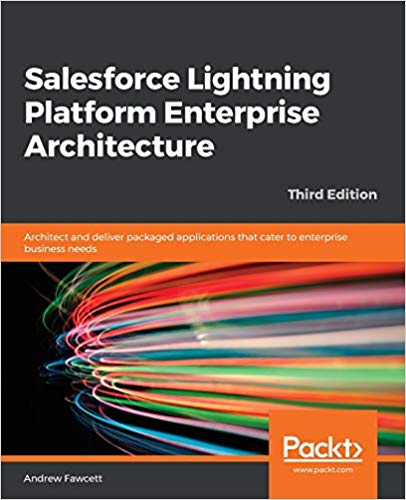
It has been nearly 10 years back in 2014 when the first edition of my book Force.com Enterprise Architecture was first published and clearly a lot has moved on since then and not just the platform capabilities. Keeping pace with branding changes resulted in the second edition of the book being called Lightning Platform Enterprise Architecture. This latest 4th edition, Salesforce Platform Enterprise Architecture has probably the most accurate and I hope enduring title! This 4th edition is also nearly twice the size of the first edition, coming in at 681 pages. So much so, its 16 chapters is now split over 4 parts to make digesting the book easier. As is tradition by now, this blog will cover some of latest updates and additions and what to expect in general from the book.

Links: Amazon | Packt Publishing

Motivation and what to expect…

I first came to the platform with a lot of experience and understanding of architecture principles from other platforms, including leveraging platform agnostic patterns such as those of Martin Fowler. Applying patterns to the platform requires some nuance at times, thus this book is about enterprise architecture considerations as applied to the Salesforce Platform and much more in respect to its capabilities that accelerate traditional application development concerns and tasks for you – and can hinder if not considered upfront in your architecture design.

The book dedicates 3 of its 16 chapters to Apex code separation of concerns, how to layout your code, while the rest covers the full spectrum of app concerns such as designing for code and database performance, profiling, testing, data storage design, building apis, extensibility and more and of course how to write much less code by harnessing the declarative aspects. All this is driven throughout the book via a fictitious reference application known as FormulaForce based on Formula1 motor racing – full source is included. Also included are numerous tips and tricks and info blocks pitted among the pages that highlight learnings from my own experiences, and latterly that of the many amazing reviewers.

As good as the platform is at abstracting a huge amount of the complexity of managing and securing modern day applications for you, there is no escaping having to fully understand good architecture principles that would, and do, in most cases apply elsewhere, such as query optimization and indexing.

If you are developing a lot on the Salesforce Platform, have a few years experience and are passionate about creating applications that are enduring and empathetic to the platform itself – this book is for you. Read on for further highlights!

Is it for ISVs or anyone?

This edition is the first to split out the motivations of packaging in respect to internal distribution needs within your own company vs distributing a commercial solution on AppExchange. Regardless of which motivation you fit into, the chapters will callout which bits are relevant vs not. Even if you are not into packaging at all right now, much of the content on Apex, Lightning, Flow, APIs etc is of course agnostic to how you choose to distribute your application. Regardless who you are sharing it with, the book gives you an appreciation of advantages and limits of packaged based distribution and in my view is a key aspect of your overall architecture considerations checklist.

Have the Apex coding patterns evolved given recent features?

The advent of user mode capabilities has had a big impact on the approach taken within the sample application of the book when it comes to using the Apex Enterprise Patterns Library (fflib), specifically in how the Unit of Work and Selector patterns are used when updating and querying for data respectively.

Additionally, the Domain pattern chapter now reflects on how Domain logic, can, if desired allow the developer to split Domain and Trigger logic into separate classes and thus introduces a new pattern (SDCL) to captured this approach. Thats not to say the original model has gone, it is still very much present, but it felt appropriate to include something in the book that reflects how the library usage has also evolved over the years – thanks to my good friend John M. Daniel for pushing for this!

Apply skills in other languages and additional scaling options

A brand new chapter in the book is dedicated to how Heroku and Functions can be used to leverage existing skills or indeed investments in open source or internally for code written in other languages such as Java or Node.js. These technologies also open up further scaling options. The chapter breaks down the approaches using the books sample application as a basis. Thus it continues the Formula1 motor racing theme by introducing Web and API interfaces for race fans and vendors (authentication scenario) to interact with the application backend APIs. Later in the book the integration chapter doubles down further on authoring APIs via OpenAPI standards and how that simplifies integration with the platform.

Lightning Web Components and Lightning Experience expansion

Since the third book, all but one of the Aura components have now been removed as many only existed at the time as workarounds to the lack of LWC enabled integration points. Two large chapters are dedicated to the Lightning framework itself, how it handles separation of concerns, eventing, security and its alignment with the industry Web Component standard. Completing with a section covering the ever expanding possibilities to extend vs build when thinking about your applications user experience, regardless if thats desktop, mobile or driven through the native UIs and tools such as Lightning Pages or Flow. And yes, I still love the Utility Bar integration the most – as you can see from the number of historic posts and tools on the topic here.

APIs, APIs and APIs…

Many years ago a product manager once thanked me for pushing an API strategy internally, since they appreciated first hand as a past buyer that APIs are effectively an insurance policy for buyers when it comes to unexpected feature gaps post or during implementation. Thus several of the chapters highlight the many Salesforce APIs in contextual ways.

Though its not until the integration and extensibility chapter the book really doubles down on building your own application APIs, versioning, naming and design and the value they bring to your fellow developers, customers and/or partner ecosystems. External Services is one of the most impressive aspects of integrating with the Salesforce Platform for me and it was my pleasure to update the book with an updated Heroku based API leveraging OpenAPI to get the full power of the feature – the two are a perfect combo!

And …

This blog is already in danger of becoming chapter size itself, so I will leave it here with the above highlights and before I close share my deepest thanks to this editions reviewers John M. Daniel, Sebastiano Costanzo, Arvind Narasimhan and foreword author Daniel J. Peter.

I will be popping up in the not to distant future in ApexHours (https://www.apexhours.com/) and perhaps other locations to talk in more depth about the book and likely other side topics of interest. I will update this blog as those resources arrive. Thank you all in the meantime, the Salesforce community is the best and remains very close to my heart, enjoy!

AndyInTheCloud

P.S. Suffice to say this 4th edition is an evolution of the prior three books! I would like to also thank the following fine folks for their support as past reviewers and foreword authors!

Past Reviewers and Forewords:
Matt Bingham, Steven Herod, Matt Lacey, Andrew Smith, Rohit Arora, Karanraj Samkaranarayanan, Jitendra Zaa, Joshua Burk, Peter Knolle, John Leen, Aaron Slettenhaugh, Avrom Roy-Faderman, Michael Salem, Mohith Shrivastava and Wade Wegner


12 Comments

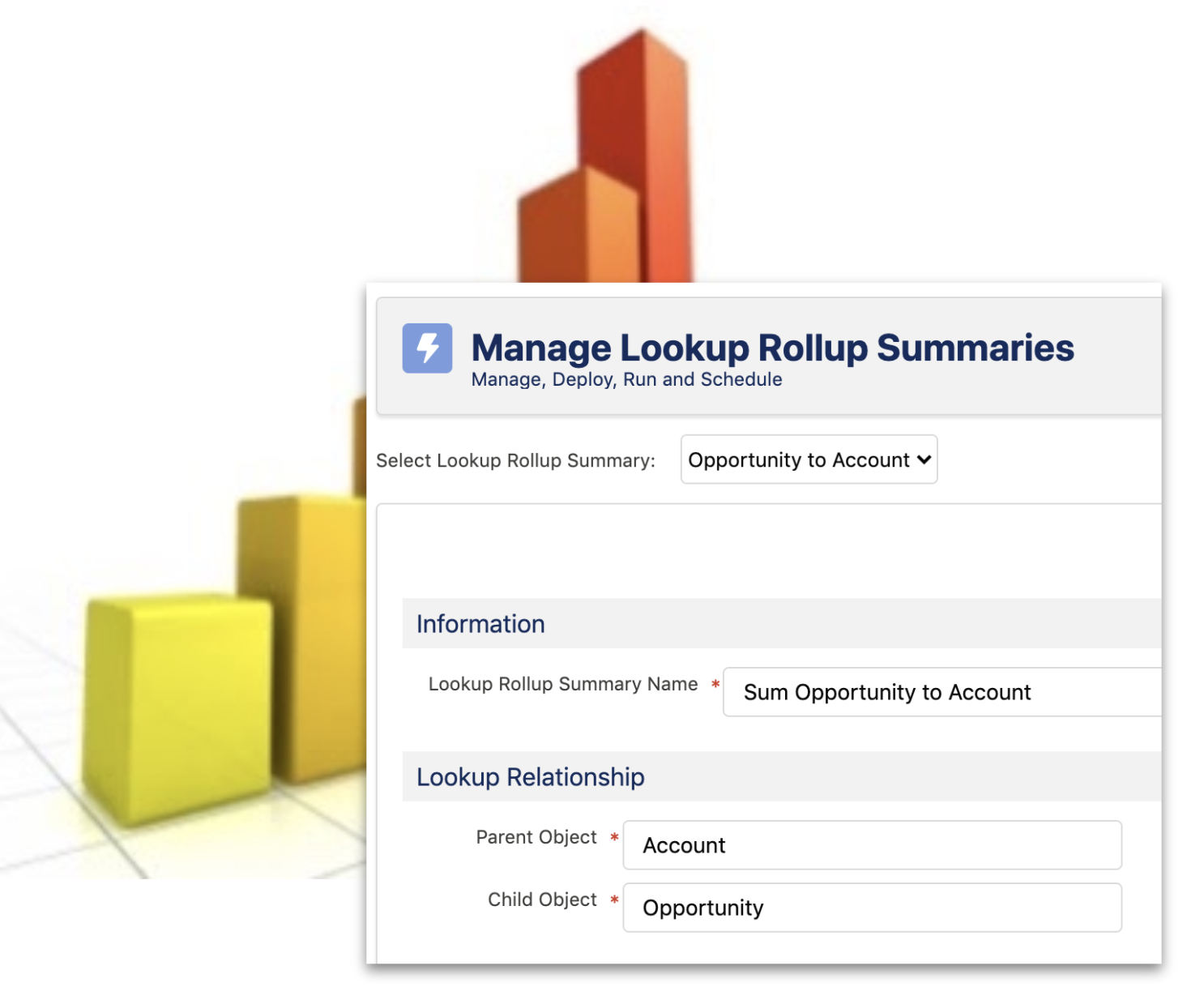
The Future of DLRS

Salesforce platform has long since had a place in my heart for the empowerment it brings to people who like to create. As a developer I love to create and feel the satisfaction in helping others. With Salesforce I can create without code as well. Now as much as I love the declarative side of building I do love to code!

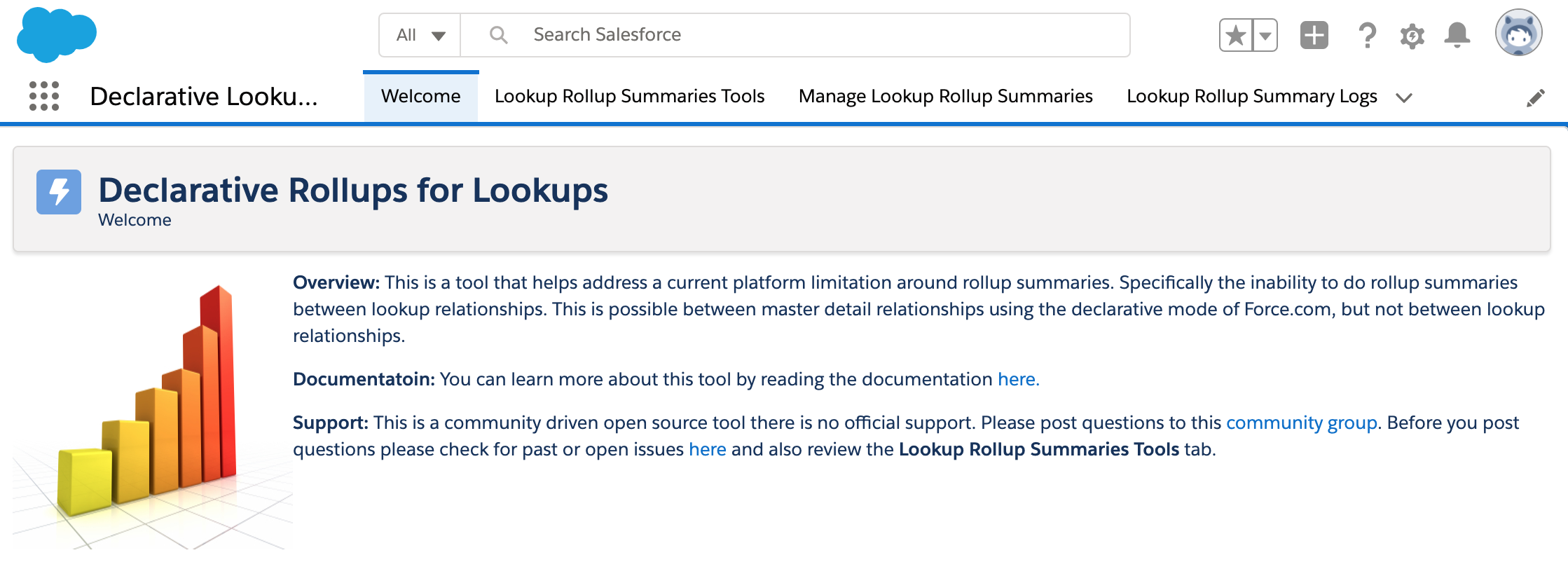
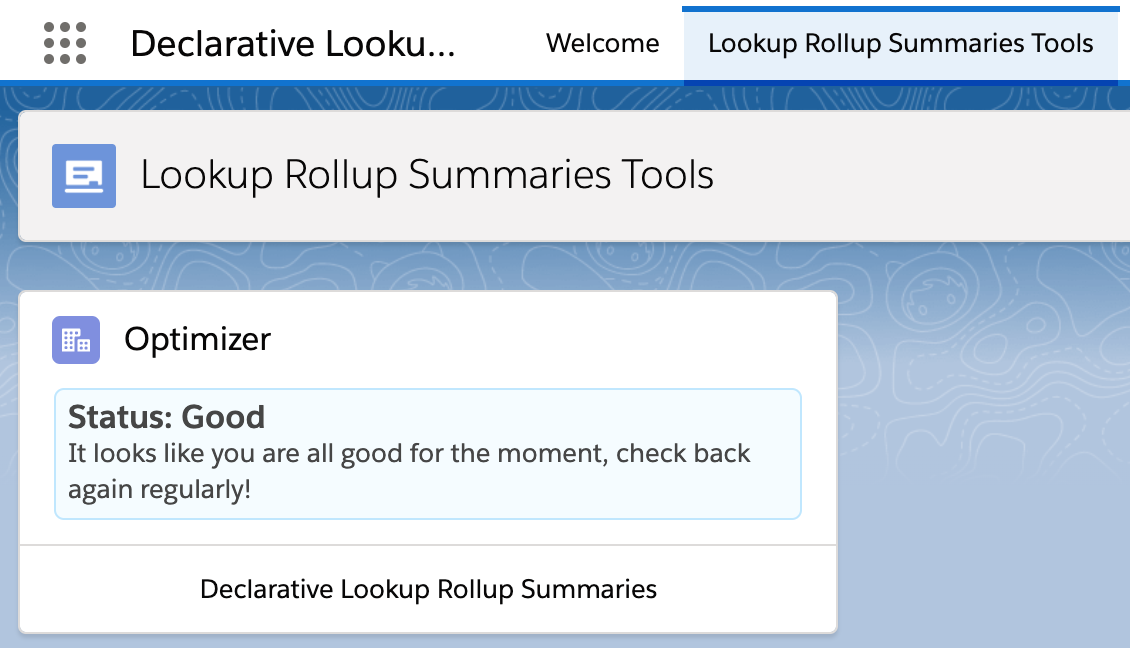
In 2013 I found a way to magnify this feeling by closing the gap between coding and helping other creators, also known as Admin’s. This blog talks about a big next step in the future of the Declarative Lookup Rollup Summaries Tool or “Dolores” (short for DLRS) as the community refers to it – and how you can help.

SUPPORT: Declarative Lookup Rollup Summary (DLRS) Tool: This tool is open source and is supported by the community in a volunteer capacity.  Kindly please post your questions to the Trailblazer Community Group. Thank you!

Memory Lane…

DLRS was somewhat born out of a solution looking for a problem. Around the same time in 2013 I was playing around with the Metadata API, automating Setup aspects via Apex and building on the platform. In doing so I was discovering some of its declarative gaps. One such gap was the inability to define rollups that are not related to master detail relationships – resolving this within the platform itself required Apex and still does today. However, every now and again I tend to somehow see connections between things that are not always obvious – and maybe a little crazy – and so I wondered – what if an Admin tool generated and managed code?

I am also a frugal developer who likes to focus on the job at hand and thus look to open source when I can. After a quick internet search I found Abhinav Gupta’s open source Apex library LREngine, also known as Salesforce Lookup Rollup Summaries. This still required a developer to write an Apex Trigger, and  it also lacked a way to configure it without a developer. And so the neurons fired and “Declarative” Lookup Rollup Summaries tool was born! Over time LREngine received a number of enhancements via DLRS requirements and optimizations. The ways in which rollups could be invoked and configured was expanded around the library. The rest, as they say, is history!

DLRS Stats and a Realization…

There have been 39 releases to date, and I am proud to have had 18 GitHub contributors supporting the tool with amazing features, fixes and improvements. Along with an amazing Chatter Group on the Trailblazer Community with over 1140 members. DLRS has been installed in tens of thousands of orgs at this point. When I started the Chatter group I tried my best to answer each and every question. What I started to find is the community began to help the community, superstars like Jon LaRosa, Dan Donin and Jim Bartek and many others are so engaged and supportive its wonderful to see.

The reality though as over the past years my time and focus on the tool has not met the increasing and ongoing demand for the tool. Between holiday time coding I don’t feel it’s quite enough and the community and users of this tool deserve more. And so with mixed feelings I sent the following tweet – well actually my wife pressed the send button for me – she knows how much I love this tool and generally knows what’s best – so here we are!

DLRS needs a team, and you can help

TL:DR If you’d like to join a team of community members, helping to ensure the future of DLRS, email sfdo-opensource@salesforce.com for more information on how you can help.

It’s very important to me for it to remain open source, free to the community and get the love and attention it deserves. There are a number of duties managing it that cause me to become a bit of a bottleneck, such as packaging, and also some things that are only in my head around testing and the code base. So I originally reached out for a lead developer to help out.

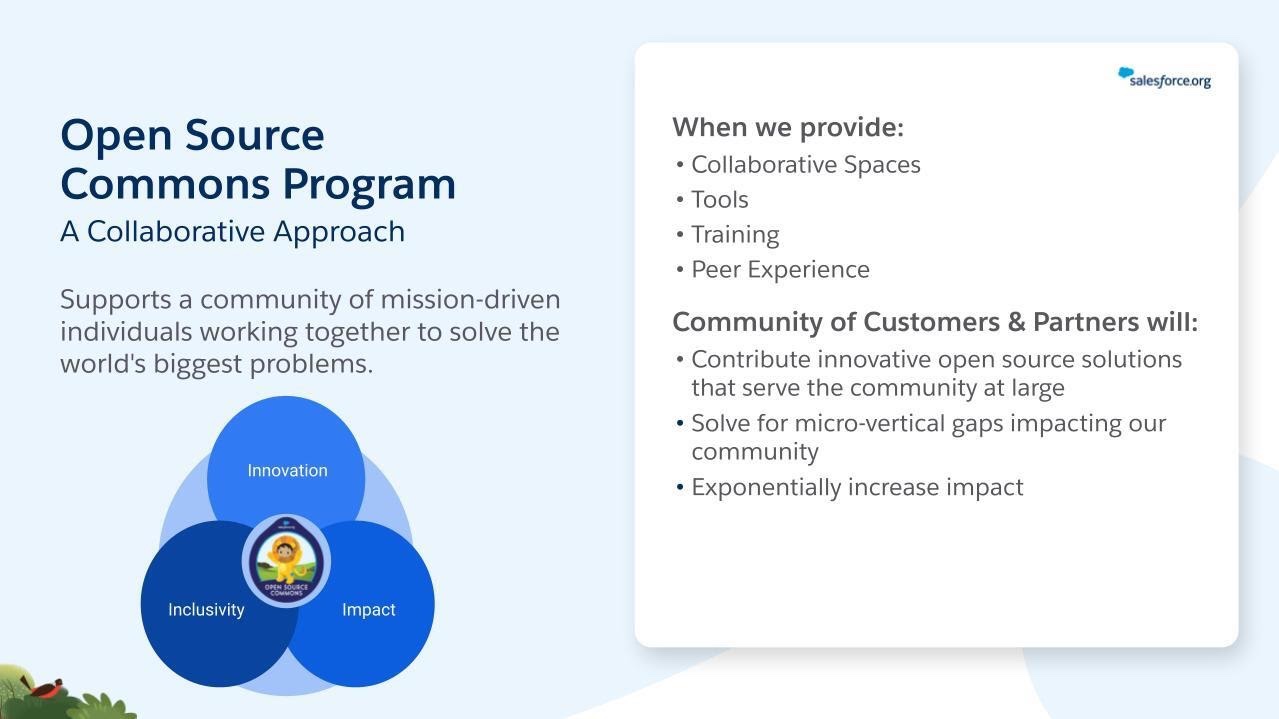
I had some great responses from the Twitter post, but it was the suggestion to have the project managed as a community team as part of the Salesforce Open Source Commons Program which showed me another path. One that could ensure DLRS continues to thrive and expand well into the future. 

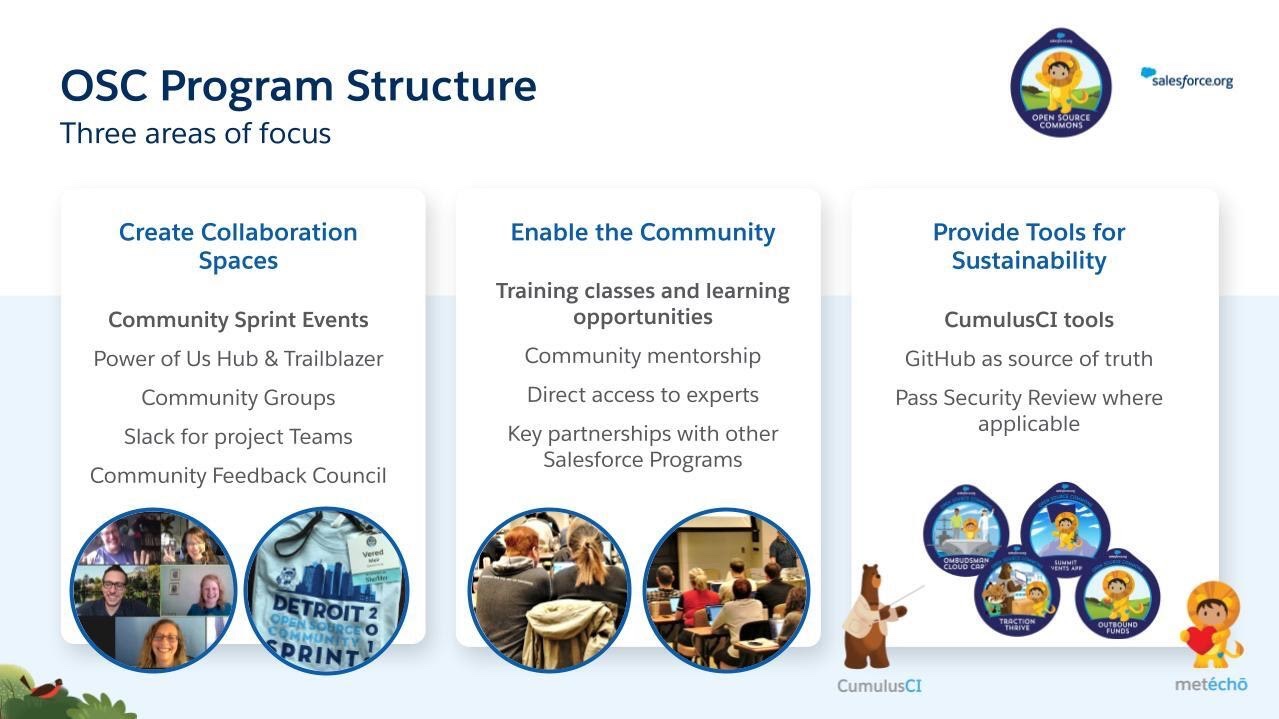
The OSC program provides a framework that wraps a great process and set of tools around open source projects, in partnership between community leaders and Salesforce. Learning about the OSC program made me realize that to ensure DLRS would truly be a sustainable and trusted package for it’s tens of thousands of users, more than a new lead developer would be needed. Maintaining a package like DLRS should be done by a team of volunteers, including those who can help others with support questions, those that want to help with docs, those that like to manage feature backlogs and more automated release processes – the list goes on. There are already eight open source projects involved with the program, ranging from managed packages to help Naval Volunteers (Ombudsman) with case management, to product support help videos, to DEI ecosystem improvement. The program hosts multiple training opportunities, and very popular Community Sprint events (like hackathons) throughout the year, to bring exposure and new volunteers to projects. 

Photo caption: Open Source Community Sprint participants, Philadelphia, October 2019

I have met with Cori O’Brien, Senior Manager of the Open Source Commons, who is very keen to share the benefits of the program further to the DLRS community and especially those that are keen to help in whatever way they can. If you would like to help or just learn more about the program, please drop an email to sfdo-opensource@salesforce.com and we will add you to a kick-off meeting to be held mid August.

Meanwhile – thank you all for the support you have given this tool – its been truly something I will be proud of for the rest of my life. I am very excited about this next step and rest assured I will be around to continue to contribute with the project – but most importantly so will many others!

SUPPORT: Declarative Lookup Rollup Summary (DLRS) Tool: This tool is open source and is supported by the community in a volunteer capacity.  Kindly please post your questions to the Trailblazer Community Group. Thank you!


1 Comment

My Top 5 Apex APIs and Bonus

As readers of this blog will already have determined, I love API’s! So when I was approached by the team at 100 Days of Trailhead to share my Top 5 “things” my mind fell to API’s. This is a short blog post because effectively the brief was a 10 minute video! Well ok I ran a bit over in the end so its actually 15 minutes.

In the video I cover 5 Apex API’s and a Bonus API at the end. Thank you for 100 Days of Trailhead for asking to contribute and please do check out all the other amazing content they have on their website! You can watch the video below (or link here) and find full source code in this GitHub repository.

https://100daysoftrailhead.com/
/**
 .----------------. 
| .--------------. |
| |   _______    | |
| |  |  _____|   | |
| |  | |____     | |
| |  '_.____''.  | |
| |  | \____) |  | |
| |   \______.'  | |
| |              | |
| '--------------' |
 '----------------' 
 */

//
// Firing Platform Events from Batch Apex
//
public with sharing class Five
    implements Database.Batchable<SObject>, Database.RaisesPlatformEvents {

 .----------------. 
| .--------------. |
| |   _    _     | |
| |  | |  | |    | |
| |  | |__| |_   | |
| |  |____   _|  | |
| |      _| |_   | |
| |     |_____|  | |
| |              | |
| '--------------' |
 '----------------' 

//
// Request Class - Request Id
//
Request reqInfo = Request.getCurrent();
String currentRequestId = reqInfo.getRequestId();


 .----------------. 
| .--------------. |
| |    ______    | |
| |   / ____ `.  | |
| |   `'  __) |  | |
| |   _  |__ '.  | |
| |  | \____) |  | |
| |   \______.'  | |
| |              | |
| '--------------' |
 '----------------' 
 
//
// Request Class - Quiddity
//
switch on Context  {
    when SYNCHRONOUS {
        RequestOrderProcessor = new TriggerOrderProcessing();
    } when BULK_API {
        RequestOrderProcessor = new BulkAPIOrderProcessing();    
    } when else {
        RequestOrderProcessor = new BaseOrderProcessing();
    }
}        

 .----------------. 
| .--------------. |
| |    _____     | |
| |   / ___ `.   | |
| |  |_/___) |   | |
| |   .'____.'   | |
| |  / /____     | |
| |  |_______|   | |
| |              | |
| '--------------' |
 '----------------' 

// 
// Send Notifications
//

Messaging.CustomNotification notification = new Messaging.CustomNotification();
notification.setTitle('Amazing new order ' + newOrder.OrderNumber);
notification.setBody('Check out this new order that has just come in!');
notification.setNotificationTypeId(notificationType.Id);
notification.setTargetId(newOrder.Id);
notification.send(new Set<String> { UserInfo.getUserId()} );


 .----------------. 
| .--------------. |
| |     __       | |
| |    /  |      | |
| |    `| |      | |
| |     | |      | |
| |    _| |_     | |
| |   |_____|    | |
| |              | |
| '--------------' |
 '----------------' 

Opportunity opp = new Opportunity();
opp.addError('Description', 'Error Message!'); 
List<Database.Error> errors = opp.getErrors();
System.assertEquals(1, errors.size());
System.assertEquals('Error Message!', errors[0].getMessage());
System.assertEquals('Description', errors[0].getFields()[0]);

/**
 * 
  ____                        
 |  _ \                       
 | |_) | ___  _ __  _   _ ___ 
 |  _ < / _ \| '_ \| | | / __|
 | |_) | (_) | | | | |_| \__ \
 |____/ \___/|_| |_|\__,_|___/                                             
 */

public class BonusFinalizer implements Finalizer {

    public void execute(FinalizerContext ctx) {


4 Comments

Reducing Field Validation Boilerplate Code

Boilerplate code is code that we repeat often with little or no variation. When it comes to writing field validations in Apex, especially within Apex Triggers there are a number of examples of this. Especially when it comes to checking if a field value has changed and/or querying for related records, which also requires observing good bulkifcathion best practices. This blog presents a small proof of concept framework aimed at reducing such logic made possible in Winter’21 with a small but critical enhancement to the Apex runtime that allows developers to dynamically add field errors. Additionally, for those practicing unit testing, the enhancement also allows test assert such errors without DML!

This is a very basic demonstration of the new addError and getErrors methods.

Opportunity opp = new Opportunity();
opp.addError('Description', 'Error Message!'); 
List<Database.Error> errors = opp.getErrors();
System.assertEquals(1, errors.size());
System.assertEquals('Error Message!', errors[0].getMessage());
System.assertEquals('Description', errors[0].getFields()[0]);

However in order to really appreciate the value these two features bring to frameworks let us first review a use case and the traditional approach to coding such validation logic. Our requirements are:

  1. When updating an Opportunity validate the Description and AccountId fields
  2. If the StageName field changes to “Closed Won” and the Description field has changed ensure it is not null.
  3. If the AccountId field changes ensure that the NumberOfEmployees field on the Account is not null
  4. Ensure code is bulkified and queries are only performed when needed.

The following code implements the above requirements, but does contain some boilerplate code.

// Classic style validation
switch on Trigger.operationType {
    when AFTER_UPDATE {
        // Prescan to bulkify querying for related Accounts
        Set<Id> accountIds = new Set<Id>();
        for (Opportunity opp : newMap.values()) {
            Opportunity oldOpp = oldMap.get(opp.Id);
            if(opp.AccountId != oldOpp.AccountId) { // AccountId changed?
                accountIds.add(opp.AccountId);
            }
        }                
        // Query related Account records?
        Map<Id, Account> associatedAccountsById = accountIds.size()==0 ? 
            new Map<Id, Account>() : 
            new Map<Id, Account>([select Id, NumberOfEmployees from Account where Id = :accountIds]);
        // Validate
        for (Opportunity opp : newMap.values()) {
            Opportunity oldOpp = oldMap.get(opp.Id);
            if(opp.StageName != oldOpp.StageName) { // Stage changed?
                if(opp.StageName == 'Closed Won') { // Stage closed won?
                    if(opp.Description != oldOpp.Description) { // Description changed?               
                        if(opp.Description == null) { // Description null?
                            opp.Description.addError('Description must be specified when Opportunity is closed');
                        }
                    }
                }                                
            }
            if(opp.AccountId != oldOpp.AccountId) { // AccountId changed?
                Account acct = associatedAccountsById.get(opp.AccountId);
                if(acct!=null) { // Account queried?
                    if(acct.NumberOfEmployees==null) { // NumberOfEmployees null?
                        opp.AccountId.addError('Account does not have any employees');
                    }    
                }
            }
        }
    }
}               

Below is the same validation implemented using a framework built to reduce boilerplate code.

SObjectFieldValidator.build()            
  .when(TriggerOperation.AFTER_UPDATE)
    .field(Opportunity.Description).hasChanged().isNull().addError('Description must be specified when Opportunity is closed')
      .when(Opportunity.StageName).hasChanged().equals('Closed Won')
    .field(Opportunity.AccountId).whenChanged().addError('Account does not have any employees')
      .when(Account.NumberOfEmployees).isNull()
  .validate(operation, oldMap, newMap);

The SObjectFieldValidator framework uses the Fluent style design to its API and as such allows the validator to be dynamically constructed with ease. Additionally configured instances of it can be passed around and extended by other code paths and modules with the validation itself to be performed in one pass. The framework also attempts some smarts to bulkify queries (in this case related Accounts) and only do so if the target field or related fields have been modified – thus ensuring optimal processing time. The test code for either approaches can of course be written in the usual way as shown below.

// Given
Account relatedAccount = new Account(Name = 'Test', NumberOfEmployees = null);        
insert relatedAccount;
Opportunity opp = new Opportunity(Name = 'Test', CloseDate = Date.today(), StageName = 'Prospecting', Description = 'X', AccountId = null);
insert opp;
opp.StageName = 'Closed Won';
opp.Description = null;
opp.AccountId = relatedAccount.Id;
// When
Database.SaveResult saveResult = Database.update(opp, false);
// Then
List<Database.Error> errors = saveResult.getErrors();
System.assertEquals(2, errors.size());
System.assertEquals('Description', errors[0].getFields()[0]);
System.assertEquals('Description must be specified when Opportunity is closed', errors[0].getMessage());
System.assertEquals('AccountId', errors[1].getFields()[0]);
System.assertEquals('Account does not have any employees', errors[1].getMessage());

While you do still need code coverage for your Apex Trigger logic, those practicing unit testing may prefer to leverage the ability to avoid DML in order to assert more varied validation scenarios. The following code is entirely free of any SOQL and DML statements and thus better for test performance. It leverages the ability to inject related records rather than allowing the framework to query them on demand. The SObjectFieldValidator instance is constructed and configured in a separate class for reuse.

// Given
Account relatedAccount = 
    new Account(Id = TEST_ACCOUNT_ID, Name = 'Test', NumberOfEmployees = null);
Map<Id, SObject> oldMap = 
    new Map<Id, SObject> { TEST_OPPORTUNIT_ID => 
        new Opportunity(Id = TEST_OPPORTUNIT_ID, StageName = 'Prospecting', Description = 'X', AccountId = null)};
Map<Id, SObject> newMap = 
    new Map<Id, SObject> { TEST_OPPORTUNIT_ID => 
        new Opportunity(Id = TEST_OPPORTUNIT_ID, StageName = 'Closed Won', Description = null, AccountId = TEST_ACCOUNT_ID)};
Map<SObjectField, Map<Id, SObject>> relatedRecords = 
    new Map<SObjectField, Map<Id, SObject>> {
        Opportunity.AccountId => 
            new Map<Id, SObject>(new List<Account> { relatedAccount })};
// When
OpportunityTriggerHandler.getValidator()
  .validate(TriggerOperation.AFTER_UPDATE, oldMap, newMap, relatedRecords); 
// Then
List<Database.Error> errors = newMap.get(TEST_OPPORTUNIT_ID).getErrors();
System.assertEquals(2, errors.size());
System.assertEquals('AccountId', errors[0].getFields()[0]);
System.assertEquals('Account does not have any employees', errors[0].getMessage());
System.assertEquals('Description', errors[1].getFields()[0]);
System.assertEquals('Description must be specified when Opportunity is closed', errors[1].getMessage());

Finally it is worth noting that such a framework can of course only get you so far and there will be scenarios where you need to be more rich in your criteria. This is something that could be explored further through the SObjectFieldValidator.FieldValidationCondition base type that allows coded field validations to be added via the condition method. The framework is pretty basic as I really do not have a great deal of time these days to build it out more fully, so totally invite anyone interested to take it further.

Enjoy!


7 Comments

Apex Process Orchestration and Monitoring with Platform Events

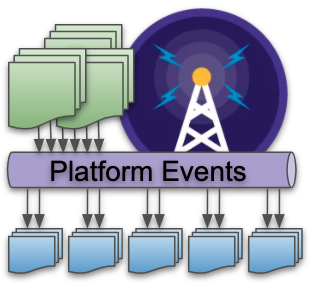
When it comes to implementing asynchronous workloads in Apex developers have a number of options such as Batch Apex and Queueable, each can be driven by user or system driven actions. This blog focuses on some of the more advanced aspects of implementing async workloads using Platform Events and Apex.

In comparison to other approaches, implementing asynchronous workloads using Platform Events offers two unique features. The first helps you better dynamically calibrate and manage resources based on data volumes to stay within limits, while the second feature provides automatic retry capabilities when errors occur. Lastly I want to highlight an approach I used to add some custom realtime telemetry to the workload using Platform Events.

Side Note: Before getting into the details, the goal of this blog is not to say one async option is better than another, rather to highlight the above features further so you can better consider your options. I also include a short comparison at the end of this blog with Batch Apex.

Business Scenario

Lets imagine the following scenario to help illustrate the use of the features described below:

  • Business Process
    Imagine that your business is processing Invoice generation on the platform and that the Orders that drive this arrive and are updated constantly.
  • Continuous Processing
    In order to avoid backlogs or spikes of invoices being processed, you want to maintain a continuous flow of the overall process. For this you create a Platform Event called Generate Invoice. This event can easily be sent by an admin / declarative builders who have perhaps setup some rules on the Orders object using Process Builder.
  • Resource Management
    Orders arrive in all shapes and sizes, meaning the processing required to generate Invoices can also vary when you consider variables such as number of order lines, product regional discounts, currencies and tax rules etc. Processing each one at time per execution context is an obvious way to maximize use of available resources and is certainly an option, but if resources allow, processing multiple invoices in one execution context is more efficient.

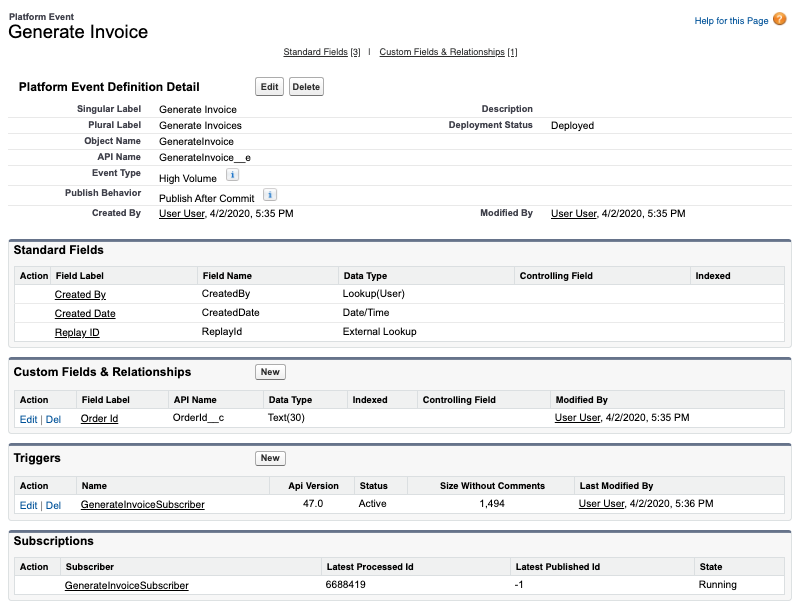
Below is what the Generate Invoice Platform Event looks like, it simply has a reference to the Order Id (though it could equally reference an External Id on the Order object).

For the purposes of this blog we are not focusing on how the events are sent / published. You can publish events using programatic API’s on or off platform or using one of the platforms declarative tools, there are in fact many ways to send events. For this blog we will just use a basic Apex snippet to generate the events as shown below.

List<GenerateInvoice__e> events = new List<GenerateInvoice__e>();
for(Order order : 
       [select Id from Order 
          where Invoiced__c != true 
          order by OrderNumber asc]) {
   events.add(new GenerateInvoice__e(OrderId__c = order.Id));
}
EventBus.publish(events);        

Here is a basic Apex handler for the above Platform Event that delegates the processing to another Apex class:

trigger GenerateInvoiceSubscriber on GenerateInvoice__e (after insert) {
    Set<Id> orderIds = new Set<Id>();
    for (GenerateInvoice__e event : Trigger.New) {
        orderIds.add(event.OrderId__c);
    }
    OrderService.generateInvoices(orderIds);
}

Processing Chunks of Events and Handling Retries

The following diagram highlights how a more advanced version of the above Apex handler can be used to optimally work within the limits to process chunks of Orders based on their size/complexity and also retry those that result in some errors along the way.

In order to orchestrate things this way you need to use some Apex API’s in your handler logic to let the platform know a few things. At the end of this blog I also share how I added telemetry to better visualize this along with a video. So don’t worry at this juncture if its not 100% clear how what you are seeing below is possible, just keep reading and watching!

Controlling how many Events are passed to your handler

Imagine the above code snippet published 1000 events. The platform docs state that it can pass up to a maximum of 2000 events to an Apex event handler at once, meaning the above will be invoked once. If you have been on the platform a while you will know that 200 (not 2000) is common number used to expressed a minimum number of records you should use when testing Apex Triggers and general bulkkification best practice. So why 2000 in the case of platform event handlers? Well the main aim of the platform is to drain the Platform Event message queue quickly and so it attempts to give the handler as much as possible, just in case it can process it.

As we have set out in our scenario above, Orders can be quite variable in nature and thus while a batch of 1000 orders with only a few order lines might be possible within the execution limits, include few orders in that batch with 100’s or a few thousand line items and its more likely you will hit CPU or heap limits. Fortunately, unlike Batch Apex, you get to control the size of each individual chunk. This is done by effectively giving some of the 1000 block of events passed to your handler back to the platform to pass back in a separate handler invocation where the limits are reset.

Below is some basic code that illustrates how you might go about pre-scanning the Orders to determine complexity (by number of lines) and thus dynamically calibrating how many of the events your code can really process within the limits. The orderIds list that is passed to the service class is reset with the orders that can be processed. The key part here is the use of the setResumeCheckpoint method that tells the platform where to resume from after this handler has completed its processing.

trigger GenerateInvoiceSubscriber on GenerateInvoice__e (after insert) { 

    // Determine number overall order lines to process 
    //   vs maximum within limits (could be config)
    Integer maxLines = 40000;
    Set<Id> orderIds = new Set<Id>();
    for (GenerateInvoice__e event : Trigger.New) {
        orderIds.add(event.OrderId__c);
    }
    Map<Id, Integer> lineCountByOrderId = 
        new OrdersSelector().selectLineCountById(orderIds);

    // Bulkify events passed to the OrderService
    orderIds = new Set<Id>();
    Integer lineCount = 0;
    for (GenerateInvoice__e event : Trigger.New) {
        orderIds.add(event.OrderId__c);
        EventBus.TriggerContext.currentContext().setResumeCheckpoint(event.ReplayId);
        lineCount = lineCount + lineCountByOrderId.get(event.OrderId__c);
        if(lineCount>maxLines) { 
            break;
        }
    }

    OrderService.generateInvoices(orderIds);
}

You can read more about this approach in the formal documentation here.

Implementing Retry Logic

There are a number of reasons errors can occur when your handler code is running. For errors that represent transient situations, such as timeouts and row locks for example, you would normally have to ask the user to retry (via email or notification) or utilize a dynamically scheduled job to retry. With Platform Event handlers in Apex, when the system RetryableException is thrown the Platform will automatically retry a batch events after period of time, up to 9 times (the batch sizes may vary between attempts). It is generally recommended that you do not let your code retry above 6, since when the maximum is reached the platform deactivates the handler/trigger.

The following code is basic illustration of how to use this facility and track the number of retries before reaching the max. In this example if the soft maximum is reached the events are effectively just lost in this case or if needed you can write them to a staging custom object for resubmission or just simply have some code such as the above scan for unprocessed Orders and resubmit events.

    // Invoke OrderService, support retries
    try {
        OrderService.generateInvoices(orderIds);
    } catch (Exception e) {
        // Only retry so many times, before giving up (thus avoid disabling the trigger)
        if (EventBus.TriggerContext.currentContext().retries < 6) {
            throw new EventBus.RetryableException(e.getMessage());
        }
        // In this case its ok to let the events drain away... 
        //   since new events for unprocessed Orders can always be re-generated
    }    

Using Platform Events to monitor activity

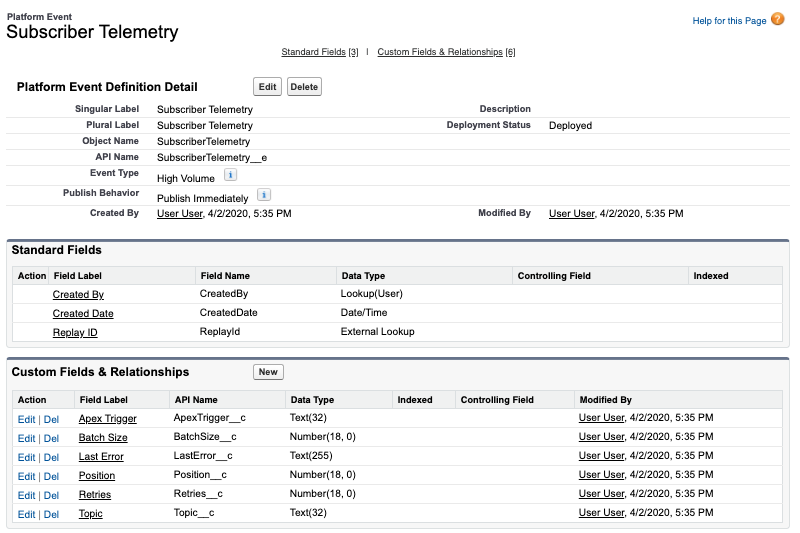
I used Platform Events to publish telemetry about the execution of the above handlers, by creating another Platform Event called Subscriber Telemetry and used a Lightning Web Component to monitor the events in realtime. Because Platform Events can be declared as being outside the standard Apex Transaction they are sent immediately using the “Publish Immediately” setting, they are sent even if an error occurs.

To publish to this event I simply added the following snippet of code to the top of my handler.

// Emit telemetry
EventBus.publish(
    new SubscriberTelemetry__e(
        Topic__c = 'GenerateInvoice__e', 
        ApexTrigger__c = 'GenerateInvoiceSubscriber',
        Position__c = 
           [select Position from EventBusSubscriber
              where Topic = 'GenerateInvoice__e'][0].Position,
        BatchSize__c = Trigger.new.size(),
        Retries__c = EventBus.TriggerContext.currentContext().retries,
        LastError__c = EventBus.TriggerContext.currentContext().lastError));

The following video shows me clicking a button to publish a batch of 1000 events, then monitoring the effects on my chunking logic and retry logic. The video actually includes me fixing some data errors in order to highlight the retry capabilities. The errors shown are contrived by some deliberately bad code to illustrate the retry logic, hence the fix to the Order records looks a bit odd, so please ignore that. Finally note that the platform chose to send my handler 83 events first then larger chunks thereafter, but in other tests I got 1000 events in the first chunk.

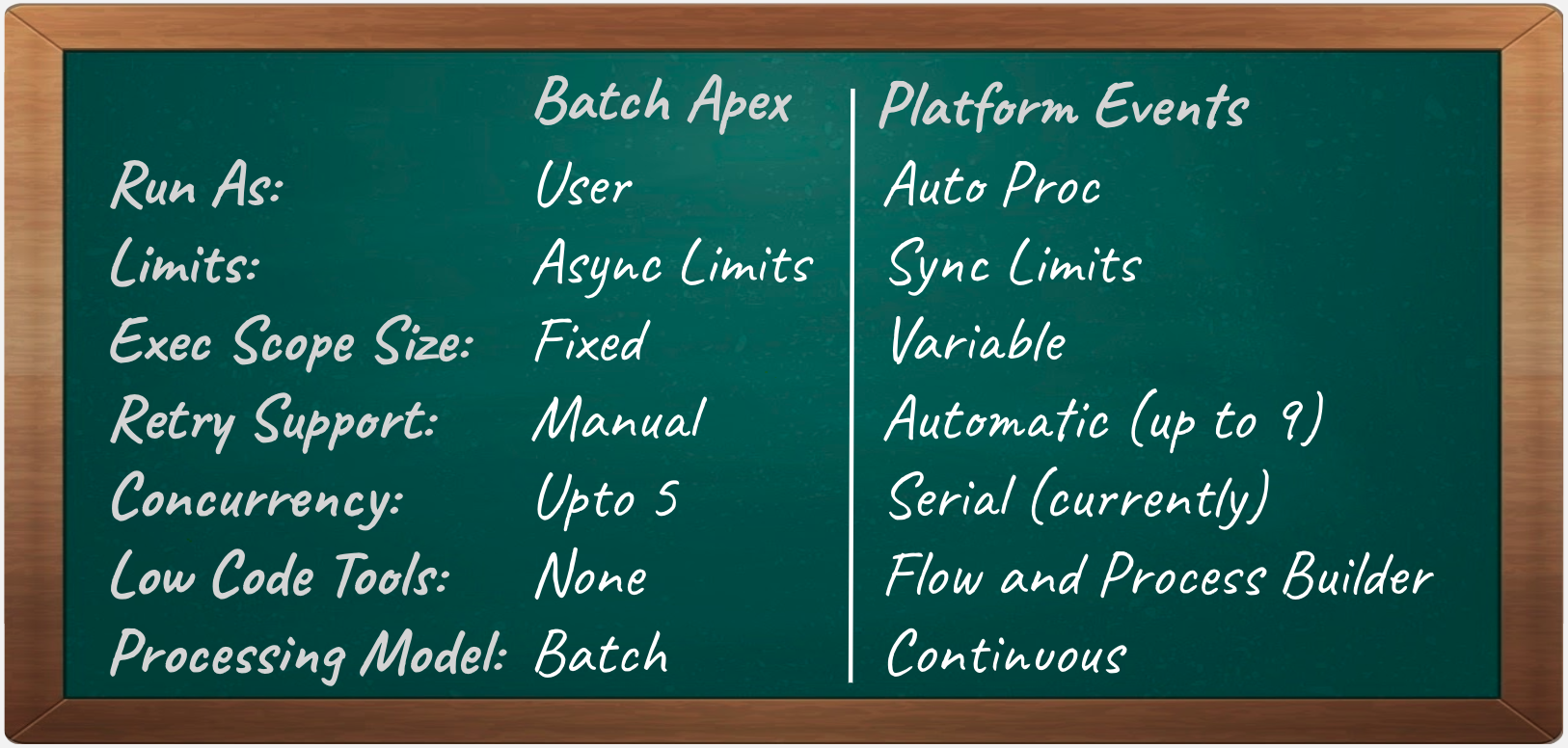
Batch Apex vs Platform Events

Batch Apex also provides a means to orchestration sequentially the processing of records in chunks, so I thought I would end here with a summary of some of the other differences. As you can see one of the key ones to consider is the user identity the code runs as. This is not impossible to workaround in the platform event handler case, but requires some coding to explicitly set the OwnerId field on records if that information is important to you. Overall though I do feel that Platform Events offers some useful options for switching to a more continuous mode of operation vs batch, so long as your aware of the differences this might be a good fit for you.

Side Note: For Apex Queueable handlers you will soon have the option to implement so called Transaction Finalizers that allow you to implement retry or logging logic.